Sage 300 CRM users can access accounting data without needing direct access to the Sage 300 application or consuming a Sage 300 license for day-to-day visibility.
The Sage 300 integration is published by Sage, and customers current on their support plan are eligible for one free Sage CRM license. The value proposition is that staff can work in Sage CRM with familiar Sage 300 functionality at a fraction of the cost.
Features and benefits
Features
- Customer and vendor integration.
- User rights can be defined for Sage 300 data.
- Promotion of companies to Sage 300 customers or vendors.
- Order and invoice history visibility from Sage CRM.
- New quotes and orders created in CRM populate Sage 300.
- Inventory lookup.
Benefits
- CRM users are more informed about their accounts.
- Users can self-serve information without calling accounting.
- The need for Sage 300 licensing is reduced.
- Duplicate entry is minimized.
- Remote staff can participate in order entry.
Customer integration
Customer record
From a customer or vendor record in Sage CRM, users can see key Sage 300 fields and access important Sage 300 functions. This includes the ability to jump directly into new quotes or orders using Sage 300 pricing.
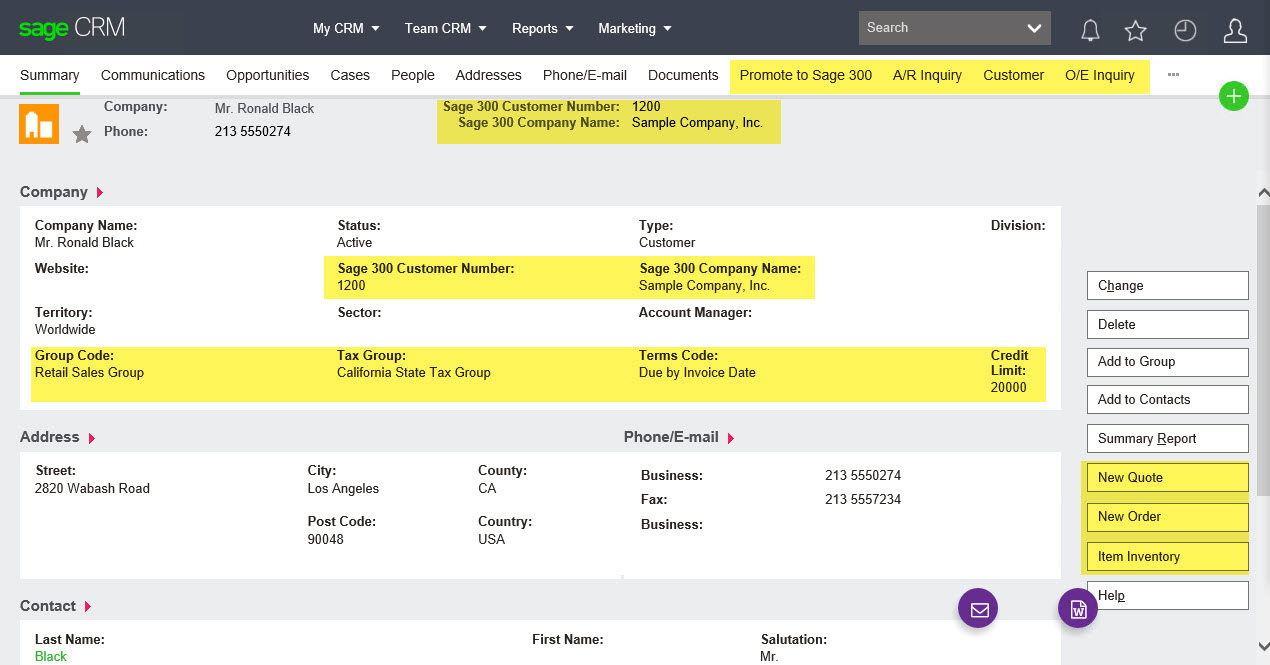
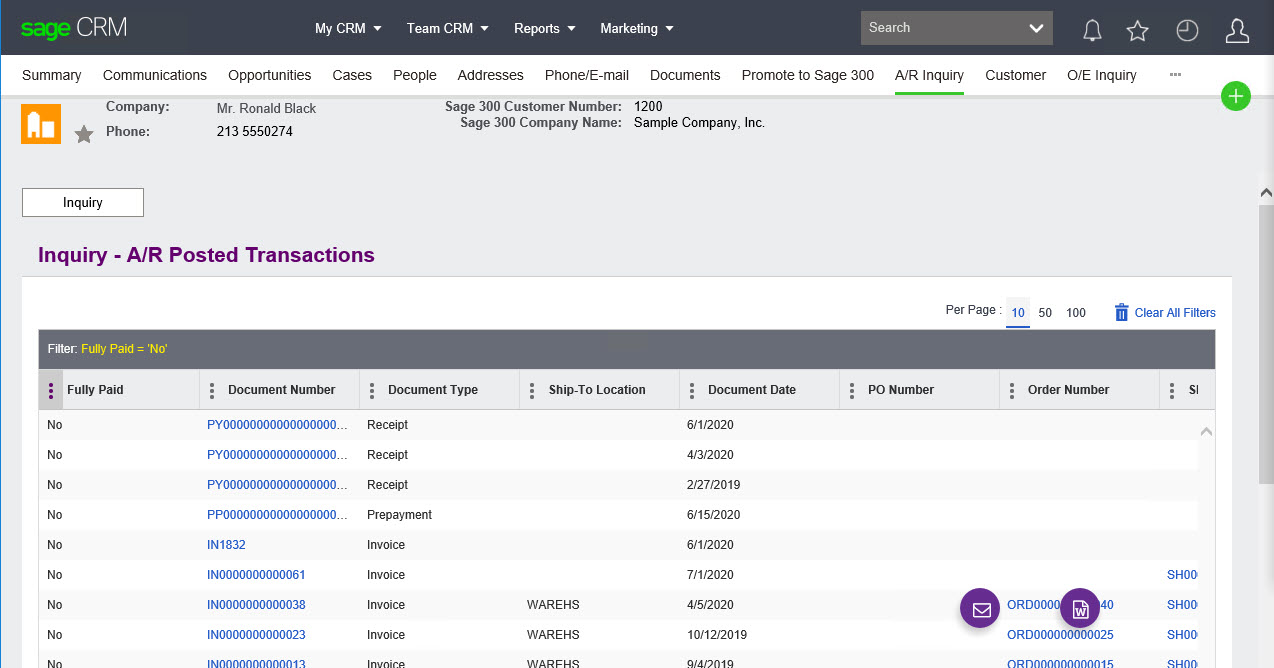
AR history
The A/R inquiry tab exposes invoice history, including filtering for paid and unpaid invoices and drilling into invoice detail.
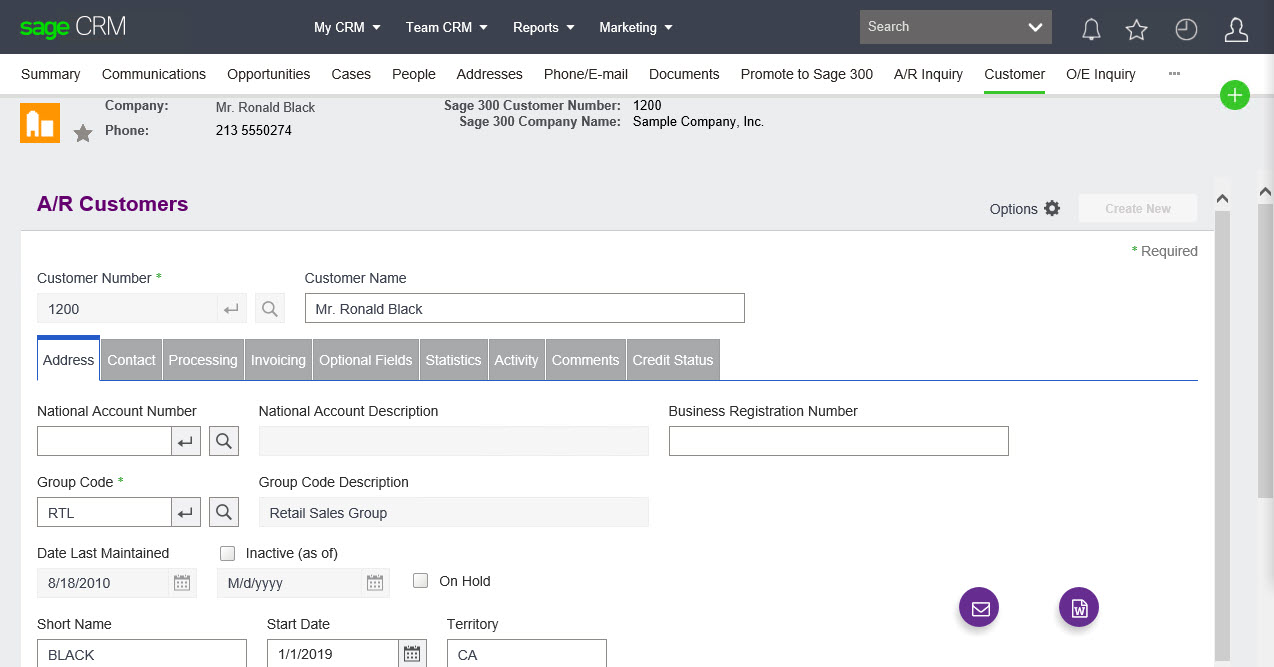
Customer tab
The customer tab opens the same customer screen users would normally expect in Sage 300, including credit status, optional fields, and statistics.
Order entry
Orders can be created from an opportunity or directly from the company summary screen. When created directly, a Sage CRM opportunity is created in the background automatically.
These are native Sage 300 order screens, so the full richness of the order functionality remains available.
Vendor integration
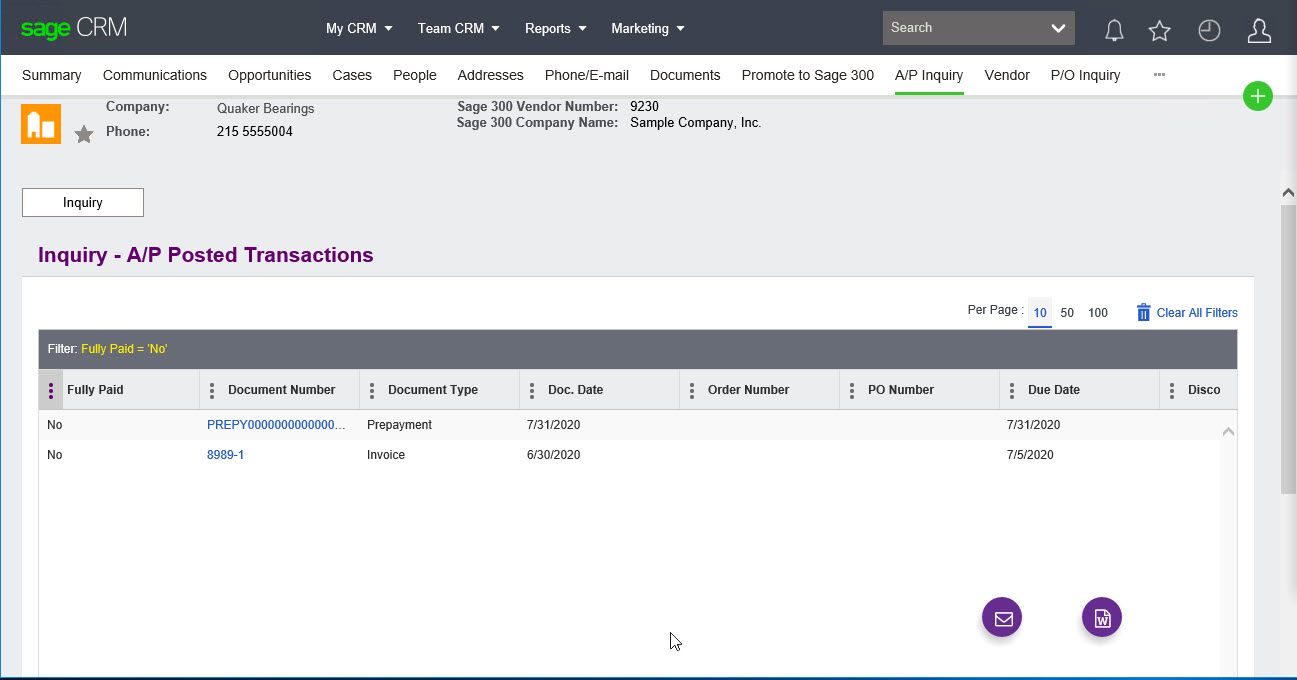
The integration also works with vendors. Users can view key vendor details, AP history, purchase order activity, and item inventory information from within Sage CRM.
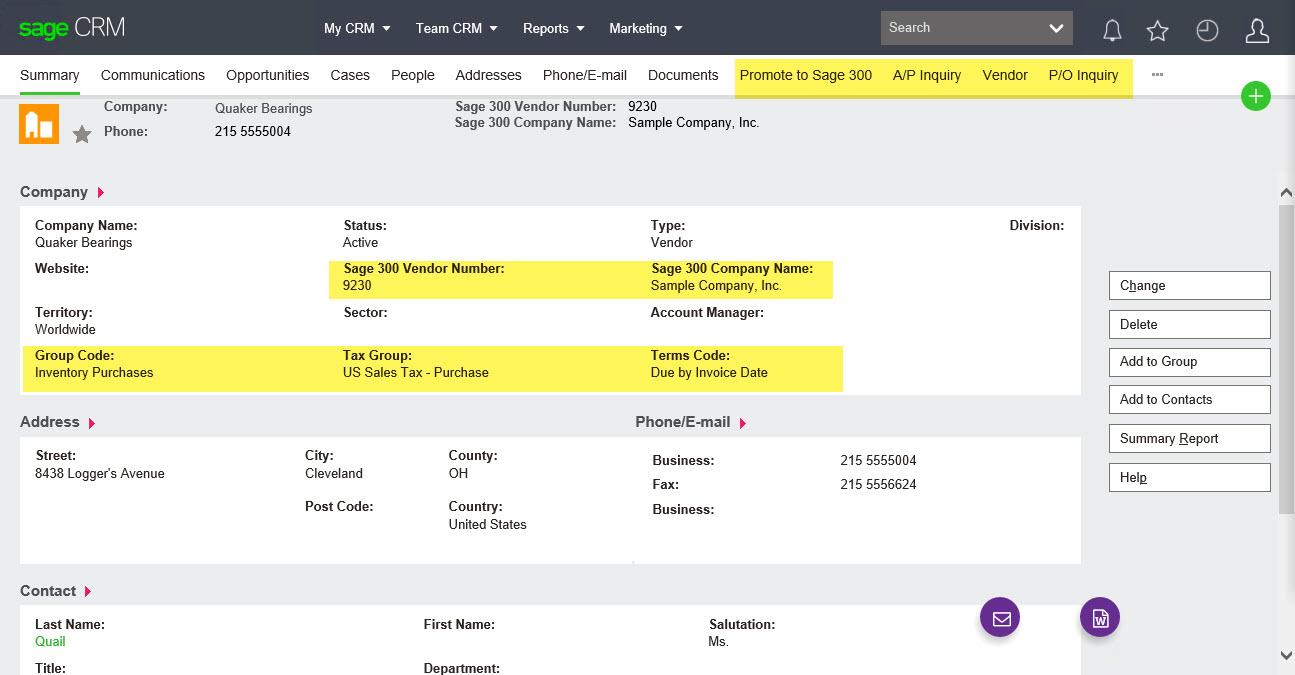
AP inquiry
From the AP history tab, users can view document lists and drill into transactions by clicking the document number.
Item inventory
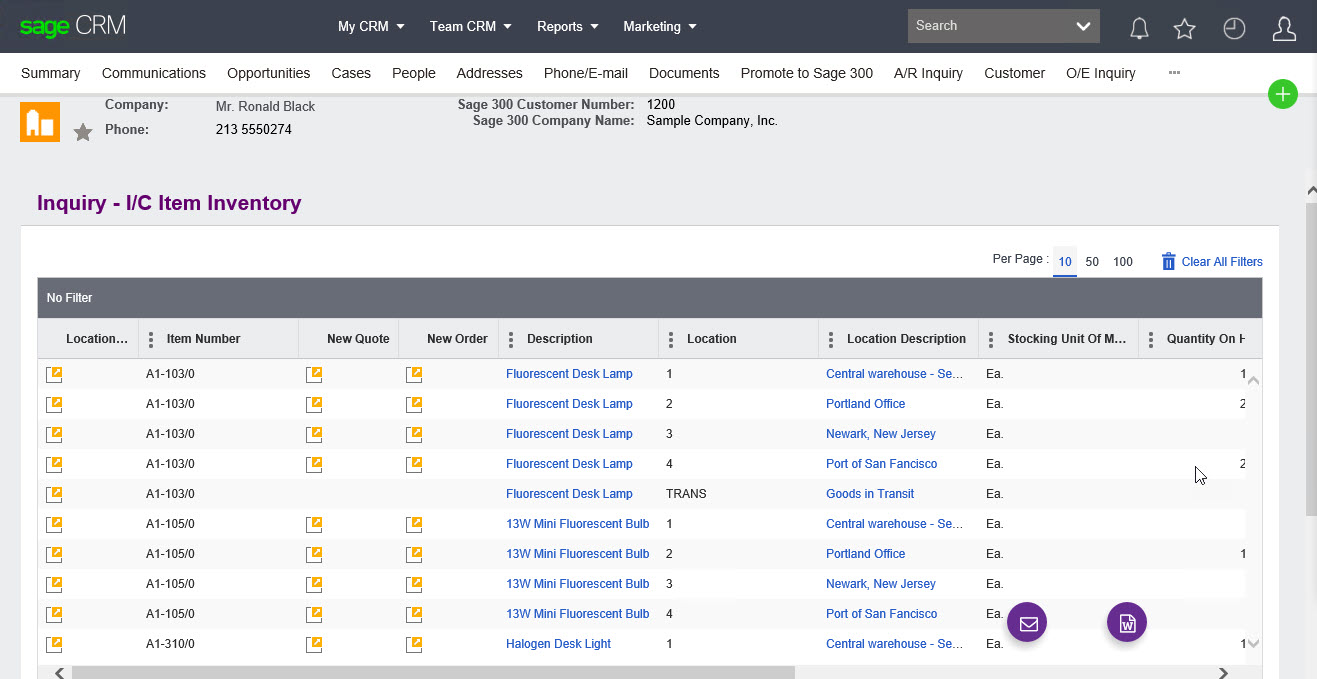
CRM users can see inventory sold to a customer, what it sold for, and even create new quotes or orders directly from that context.
Customizing the Sage 300 CRM integration
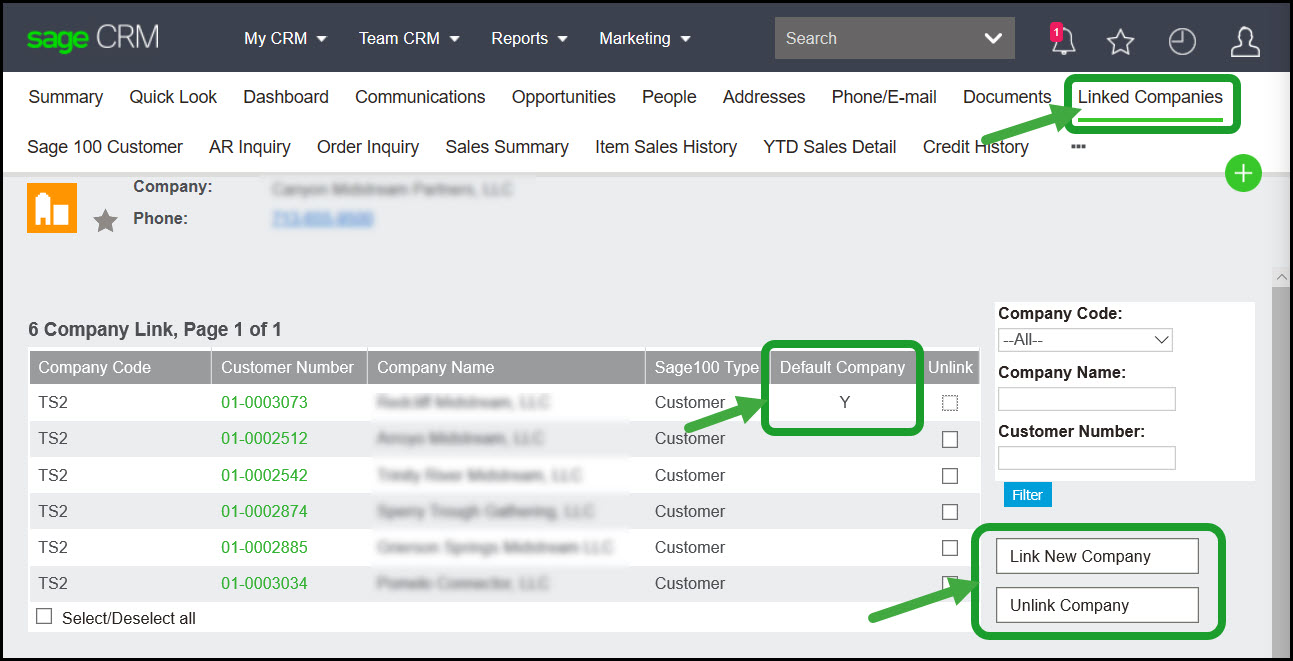
Organizations often request tailored behaviors, such as automatically bringing new customers into CRM, refreshing salesperson ownership, and supporting one-to-many company-to-customer relationships across multiple accounting databases.
Requirements
The Sage CRM to Sage 300 integration leverages Sage 300 web screens. Supported versions are 2019, 2020, or 2021. If Sage CRM is used outside the local network, both Sage CRM and Sage 300 web screens must be accessible over the internet.
See the compatibility chart for Sage CRM and Sage 300.