Sage CRM provides practical tools to organize your data and market effectively. From creating targeted groups to conducting and measuring campaigns, Sage has the right tools for your marketing team.
Profiling
Fundamental to the success of your CRM initiative will be to properly record and profile the organizations you interact with, as well as the people within those organizations. Contact Management is a key feature of Sage CRM and the application makes it very easy to create new fields and apply them to screens. Below are a couple of examples for Profiling Companies and People.
This 60-second video provides a quick understanding of profiling in Sage CRM.
More information can be found on the Contact Management page of this site.
Sorting through your data
Once profiled, Sage CRM provides several tools to sift through your data. You can do this in the reporting section or in any of the finder screens.
From the finder screens, you can adjust the fields you use for your filters, but also change the fields that display in the search results.
The column headers can have attributes that allow you to sort as well.
Using Groups
You can sort any of your data into segments – which Sage refers to as ‘groups’. You can create groups of Companies, Opportunities, Jobs, People etc.
The group feature provides various features to work with your segmented data. As per this video, you can leverage groups to:
- Generate merged MS Word or PDF documents
- Create targeted task groups
- Send groups emails or Mailchimp campaigns
- Perform mass data updates
- AND more!
Working with Mailchimp
Sage CRM offers a free integration with Mailchimp. The key concept is that you can pass groups of people to Mailchimp to create glamorous html emails but also initiate your marketing campaigns and read the results within Sage CRM. This can be a very practical tool when used effectively.
We have an extensive user guide on integrating Mailchimp with your Sage CRM instance.
This integration allows users to:
- Push their Sage CRM contacts into Mailchimp
- Quickly and easily create new targeted email marketing campaigns in Sage CRM
- Send the campaign and automatically add a communication record to the relevant records in Sage CRM
- View a list of sent MailChimp campaigns in Sage CRM and gain valuable insight into the results – opens, clicks, bounces and more
- Segment lists and create groups based on responses for future campaigns

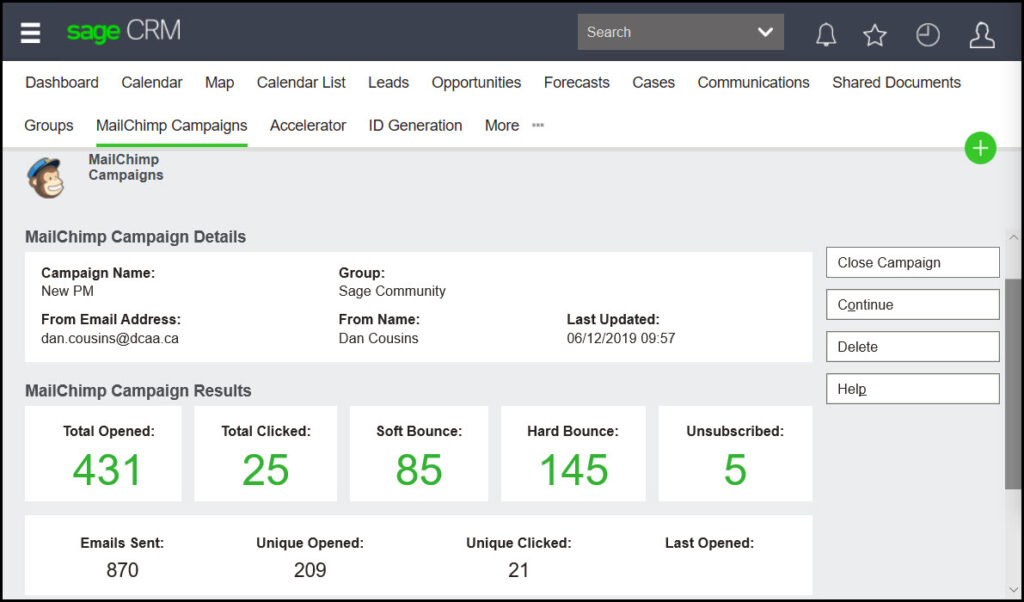
This image is of an individual Mailchimp campaign within Sage CRM. This screens shows us the group, the number of emails sent, as well as the result. We can click on any of the large green numbers to see the particulars
Email Templates
Sage CRM allows you to save email templates that all users have access to and can send from the various entities, such as Company, Person, Opportunity.
Creating and using email templates allows your organization to easily select and send consistent responses and messages to your customers.
The following video demonstrates how to create and send email templates.
Connecting to your Website
Sage CRM website integration (aka Web-to-Lead) is a project we do all the time is to pull inquiries from a ‘contact us’ page into Sage – which then issues a thank you email to the submitter and notifies sales.
In our experience, this is practical if/when you are getting a minimum of 15 or 20 inquiries per month.
The Sage CRM project usually involves 3 key elements:
- Creating the form that pulls inquiries into your Sage CRM instance.
- Setting up a workflow to control the progression of the lead once it arrives in Sage CRM.
- Configuring any related reports and dashboards.
More information can be found on the Contact Management page of this site.
Campaign Management
Some clients have structured marketing efforts that need to be recorded and tracked (budget, costs, what works, etc.). Sage CRM’s Campaign Management provides the ability to link leads, communications and opportunities to marketing campaign efforts and proves to be a useful tool for companies to better understand their ROI of marketing activities.
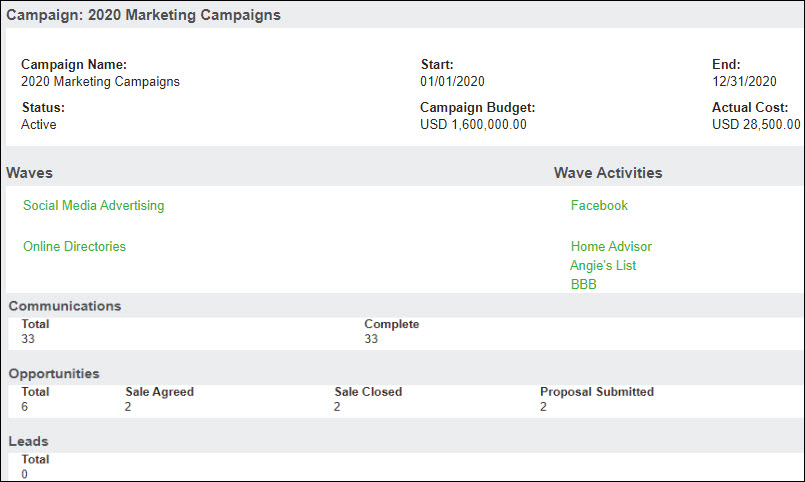
In this example, the marketing efforts are tracked on an annual basis. There is a single marketing campaign with multiple waves. Each wave has wave activities where a budget and cost can be recorded. Analysis can be done at each level: wave activity, wave and ultimately campaign.
All communications, opportunities (by stage) and leads that have been associated with a given wave activity can be analyzed in an effort to understand ROI for those activities.
Analytics
Reporting back in data within Sage CRM is very open ended. By that we mean you can essentially report back on any of the information that flows through your system AND in many ways. There exist many pre-built reports within Sage but you can always create more.
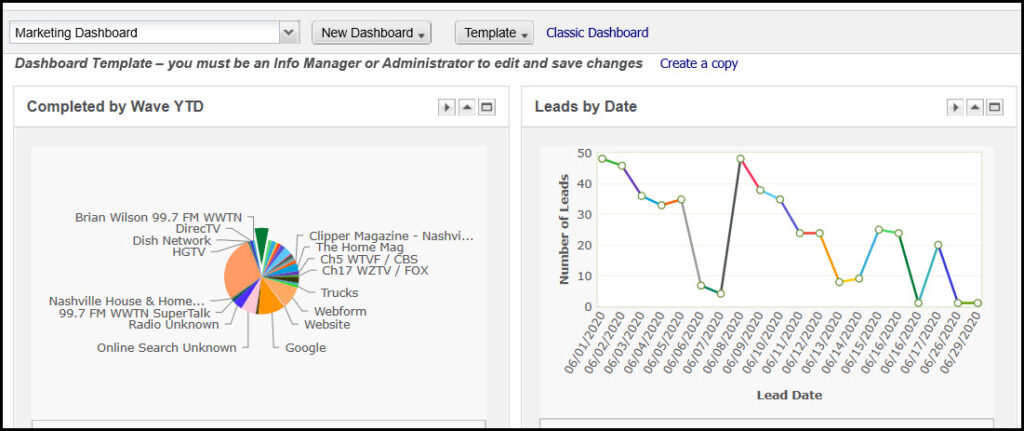
This image is a section from one of our project’s marketing dashboard.
The options you have to report back on your marketing efforts are vast.