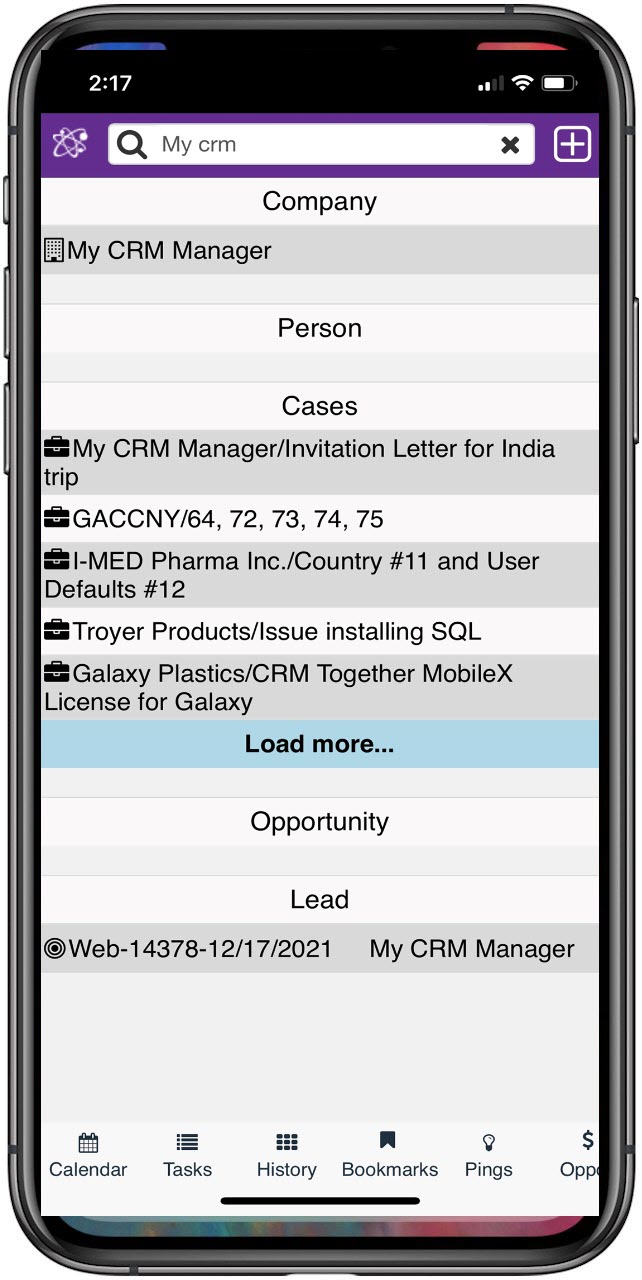
Becoming familiar with these standard terms will help you map Sage CRM functionality to your current business processes. Most of these terms can be customized later to match your specific internal terminology.

Primary Entities
An entity is a specific section of data. Primary entities (like Companies or Opportunities) have dedicated sub-tabs and layers of security to control viewing and editing rights.
Company
Company: Records for Prospects, Customers (linked to accounting), Vendors, and Suppliers.
Person
Contacts under a Company record. Persons can be associated with other records too, such as Opportunities or Cases.
Communications
- Communication records are Emails, Appointments, Tasks and can be further categorized by Actions (i.e. Meeting, Phone Out, Email In, etc).
- Communication statistics provide a quick glimpse of the total number of communications, date of last communication, and days since last communication for each record.
- Communications can be entered directly into the desktop UI of Sage CRM or either Outlook or your Mobile device.
- Further reading…
Leads
- Lead records are for new business and not yet linked to a Company or Opportunity, but both can be created from a Lead (can be linked to workflow)
- Further reading…
Opportunities
- Opportunity records are for Sales deals (can be linked to workflow).
- Opportunities are generally (but not always) associated with a company and person.
- Individual Opportunities may have associated Quotes, Orders, Documents, and Communications.
Case
- Case records are for Customer Service issues, Jobs, Tickets, or other transactions your Company tracks (can be linked to workflow).
- Cases are generally associated with a Company and Person.
- Individual Cases may have associated Documents, and Communications.
Secondary Entities
Addresses
- Addresses are created under Company and Person records.
- The ‘default Address’ is the primary Address that appears on the Summary page.
Note (do not confuse Notes with Communications)
- Notes allow you document miscellaneous information such as customer preferences, birthdays, anniversaries, hobbies, odd work hours, etc.
Document
- You can attach proposals, drawings, applications, images, or any other type of document to any of the primary (main) entities.
User
- Users are the people in your Company who will be logging in and using Sage CRM.
- Individual users have rights and restrictions about what they can and cannot view/edit/delete.
Screens & Lists
Tabs
- Tabs are the various entities linked to each record and visible from any screen.
- The Summary tab is the primary screen you land on when going to a record.

Fields
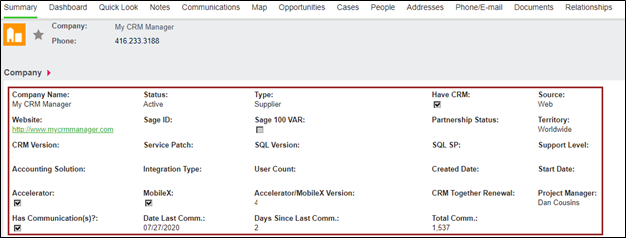
- Fields hold the data on each of the screens and are customizable for each entity (can be required, read-only, inherit data, and can be text, date/time, checkbox, selection, multi-select).
- Fields display on individual screens.
Lists
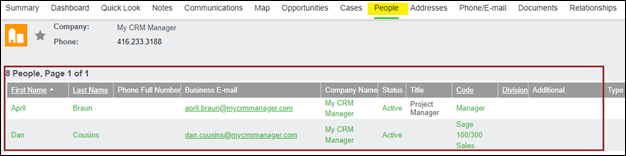
- Lists refer to the line items under a tab and linked to the active record.
- Lists are easily modified.
Find Screens
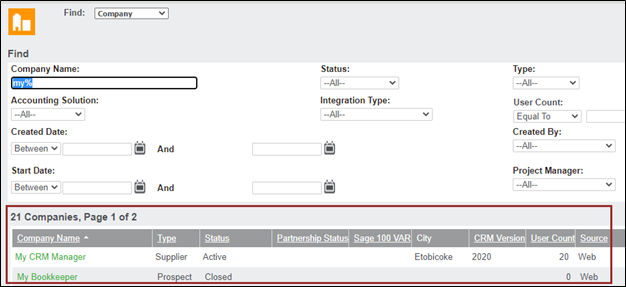
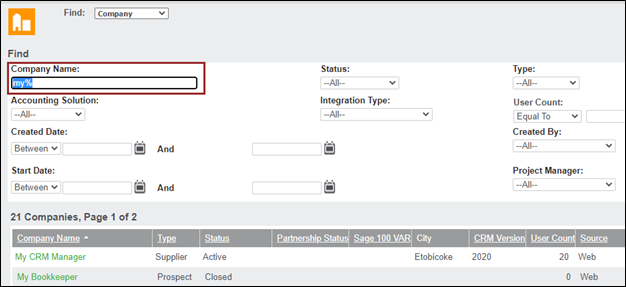
- Find screens allow you to find records for a specific entity based on the search criteria entered
- % is the wildcard
Grids
- Grids refer to the list of results of a search on the Find screen
Workflow
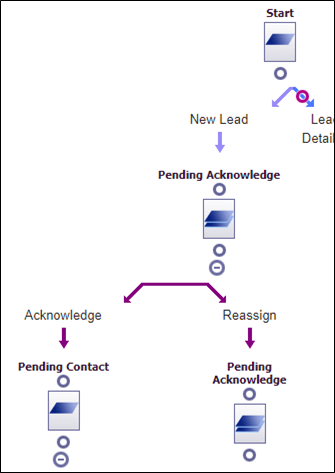
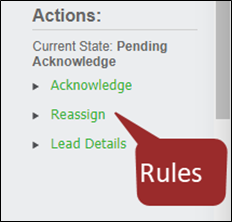
Workflow can be used for Leads, Cases, and Opportunities and force user behavior to progress the entity from start to finish via the workflow rules/actions and allow tracking of the various stages
Dashboards & Gadgets
- Dashboards are created from Reports and allow users to get a quick glimpse of information such as Types of Communications created last month, Open Opportunities, Lost Leads, Inactive Companies and can be lists or graphs
- Gadgets are the individual blocks that display the information on the Dashboard

Third Party Add-Ons
Accelerator
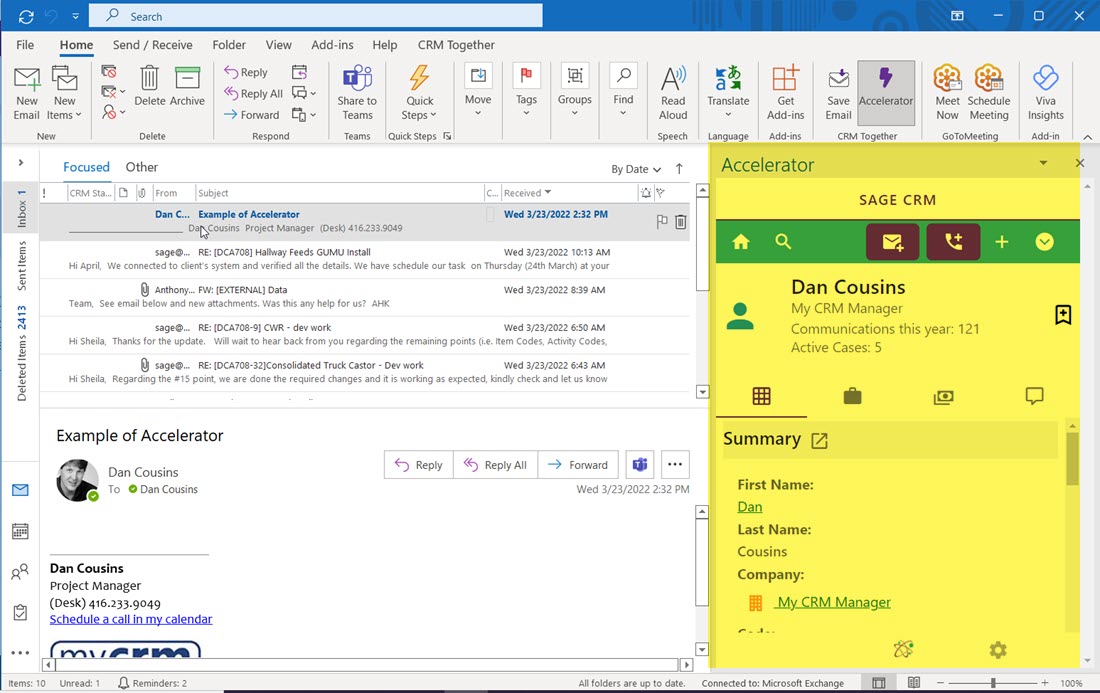
Accelerator integrates Outlook to Sage CRM by allowing you to create new records and file emails to already existing records in Sage CRM from Outlook (supports Office Outlook 2016/2019 in 32 & 64 bit)
MobileX
MobileX provides access to Sage CRM from a mobile device, allowing you to view and create Sage CRM data (supports Android and iPhone/iPad)