Fundamental to the success of your CRM initiative will be to properly record and profile the organizations you interact with, as well as the people within those organizations. Contact Management is a key feature of Sage CRM and the application makes it very easy to create new fields and apply them to screens. Below are a couple of examples for Profiling Companies and People. At the very bottom of this page you will find an instructional video related to creating fields and then modifying screens and lists.
Keep in mind that these concepts and easy-to-use tools to create meaningful fields and then applying them to screens and lists apply to all sections within Sage CRM. Profiling, and then reporting back on Customer Service issues, Jobs, Opportunities (or anything) is just as easy.
Company Profile Examples
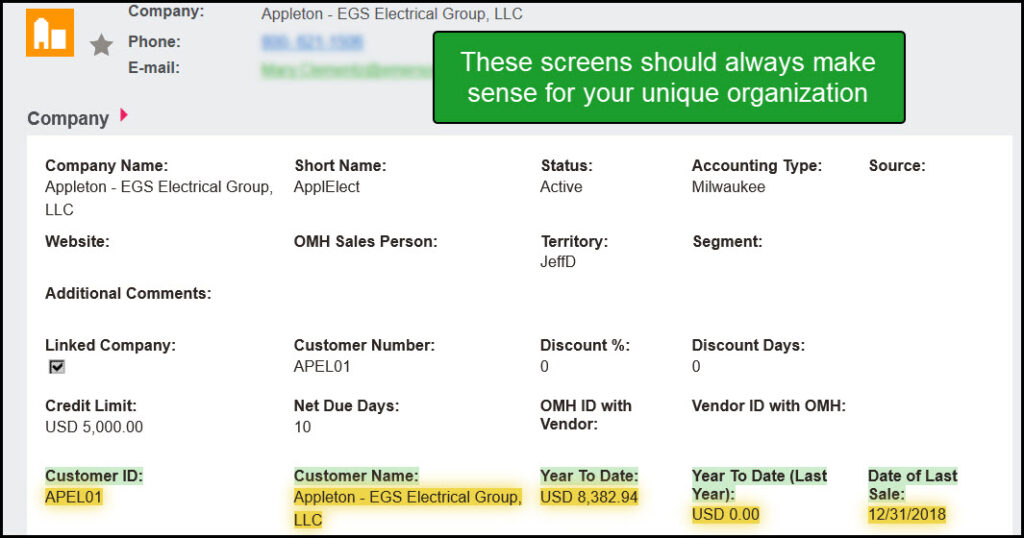
Company Profile – A
You can easily create fields to accurately profile anything, in this case ‘Companies’. The concept is that Companies be profiled in a way that makes perfect sense for your unique organization.
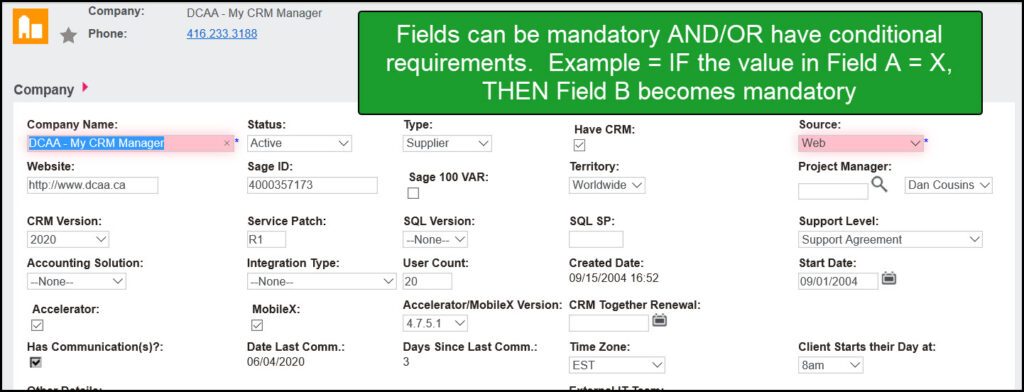
Company Profile – B
Fields can be mandatory, and/or have conditions. Example: IF the value of field A = X, THEN field B becomes mandatory. This ensures data integrity across your team.
Person Profile Examples
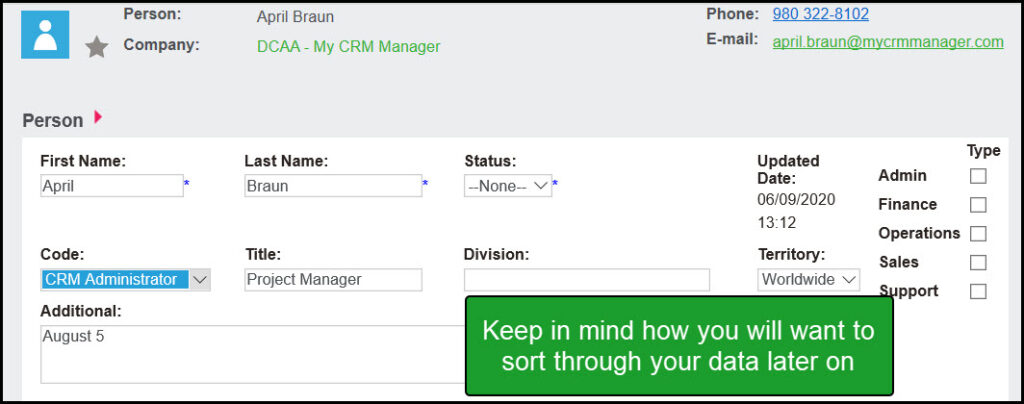
Person Profile – Example
Just like Companies, you can profile People (or any part of Sage CRM) in a way that makes sense for you. Consider how your users will want to sort through the data later on.
Filtering through your Profiled data
Once you are profiling information (Companies, People, etc.), Sage CRM offers several features to sort through your data. The easiest one is to use the Find screens.
Instructional Video on Modifying fields, screens, and lists
This video walks you through all of the key functionality of contact management and how easy it is within Sage CRM to catalog and sort through your data:
- Learn how to modify existing fields and create new ones.
- Learn how to customize the hundreds of screens within Sage CRM.
- Learn how to edit lists throughout the system.
Learn how to benefit from properly profiled contacts on the Marketing Page.