GUMU™ Sage 100 CRM
Connecting Sage 100 with Sage CRM provides customer-facing staff with the ability to view accounting data and create orders directly through the Sage CRM interface. The source positions this as a fully bi-directional solution with deep access to Sage 100 data from within CRM.
The information on this page refers to the GUMU™ integration, which is the Greytrix version of the Sage 100 to CRM integration.
- Sage CRM users do not require a Sage 100 license.
- Sage 100 does not need to be the latest version.
- The Sage 100 to Sage CRM version is described in the source as the deepest of the GUMU™ integration variants.
Table of Contents
Latest updates to GUMU™ Sage 100 CRM
May 2025 — Greytrix’s 5.6.0.4 release added major enhancements to Quick Line Entry screens, brought CRM quotes and order history onto company tabs, and improved the UI more broadly. The source notes that the release is free for existing subscribers.
You can view all of the release notes on this page or request a personalized walkthrough.
Features, benefits, and user experience
Features
- Customer and vendor integration.
- User access rights to Sage 100 data.
- Promotion of companies in Sage CRM to customers or vendors in Sage 100.
- Order and invoice history visibility from Sage CRM.
- Quote and order creation using Sage CRM quoting features that populate Sage 100.
- Order promotion from Sage CRM into Sage 100.
- Inventory lookup.
Benefits
- Sage CRM users are more informed about their accounts.
- Users can retrieve information without relying on accounting staff.
- The need for Sage 100 licensing is reduced.
- Duplicate entry is eliminated or reduced.
- Remote staff can participate in order entry.
This 5-minute overview video covers the user experience, including company metrics, ERP data visibility, quote and order creation, and inventory lookup.
Customer integration
Users have deep visibility into customer records, buying patterns, and customer-related ERP history. The source page then walks through the major screens exposed from a company record.
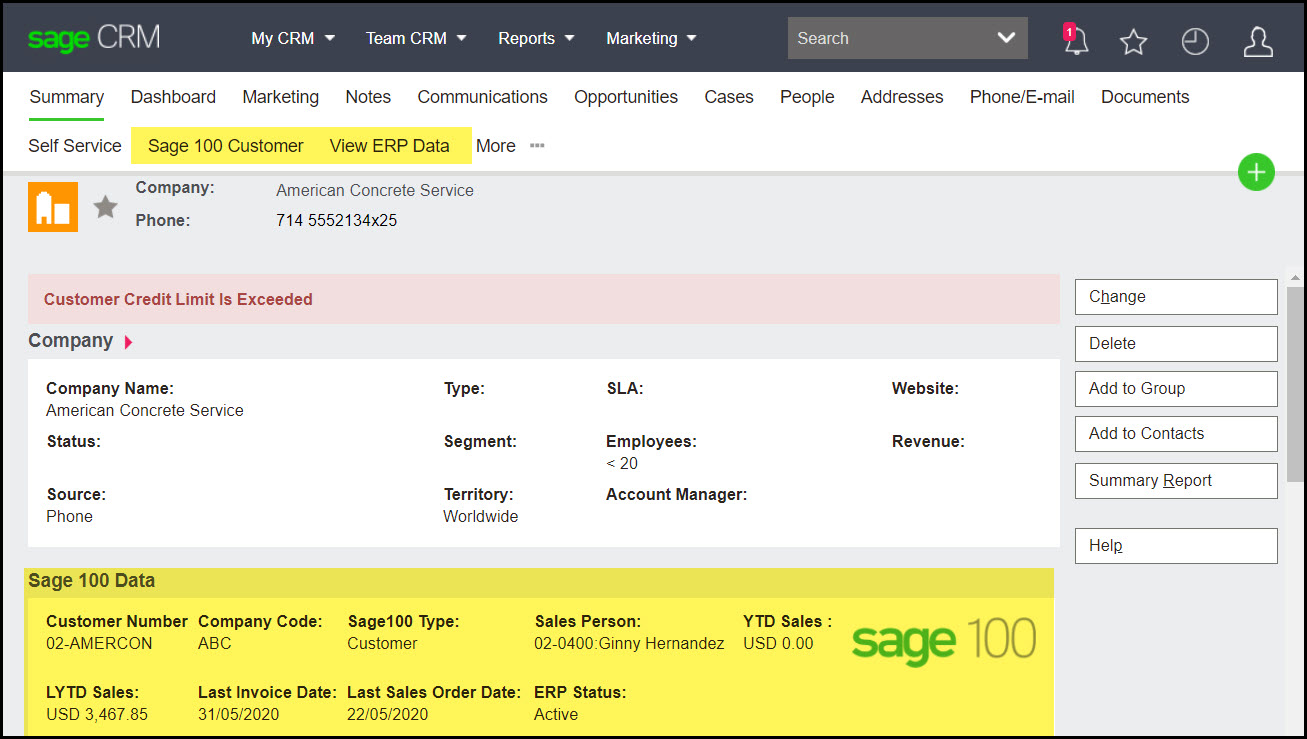
View ERP data
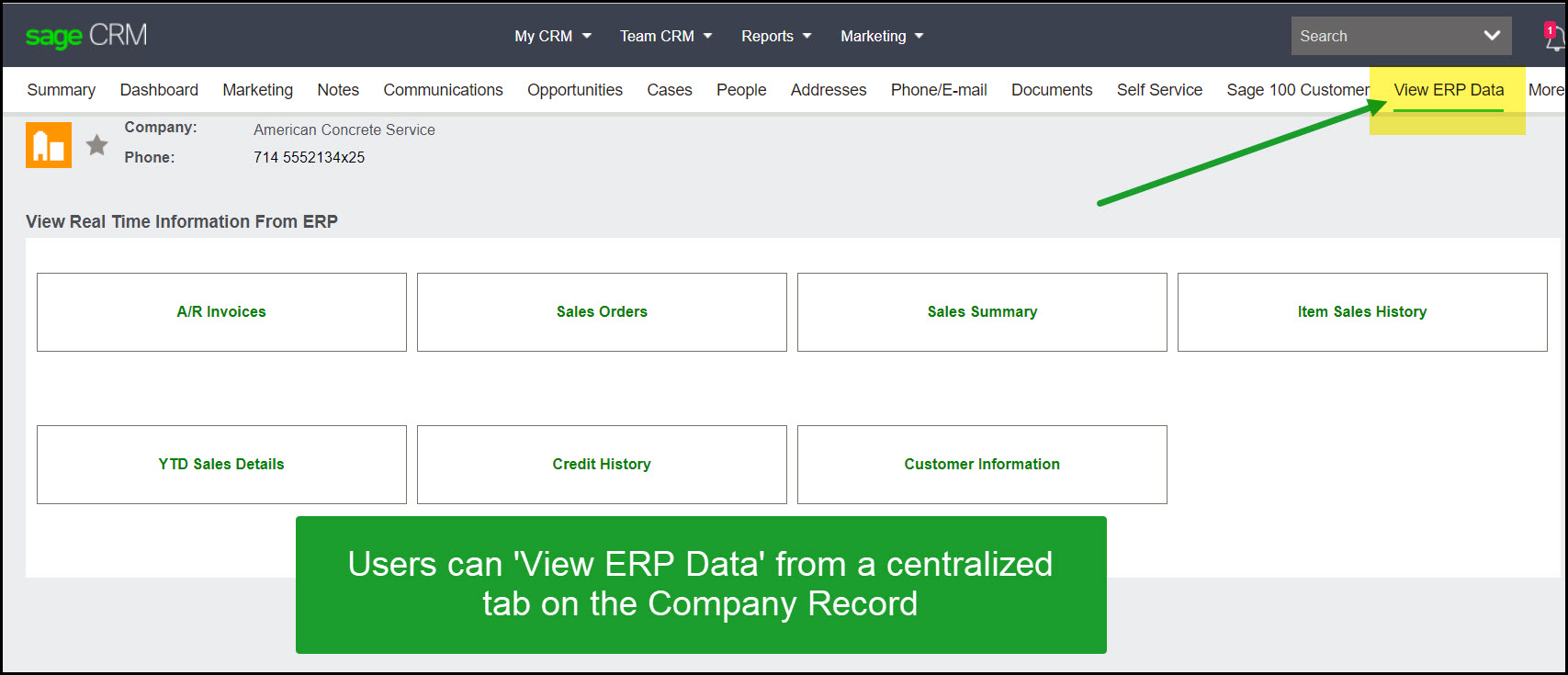
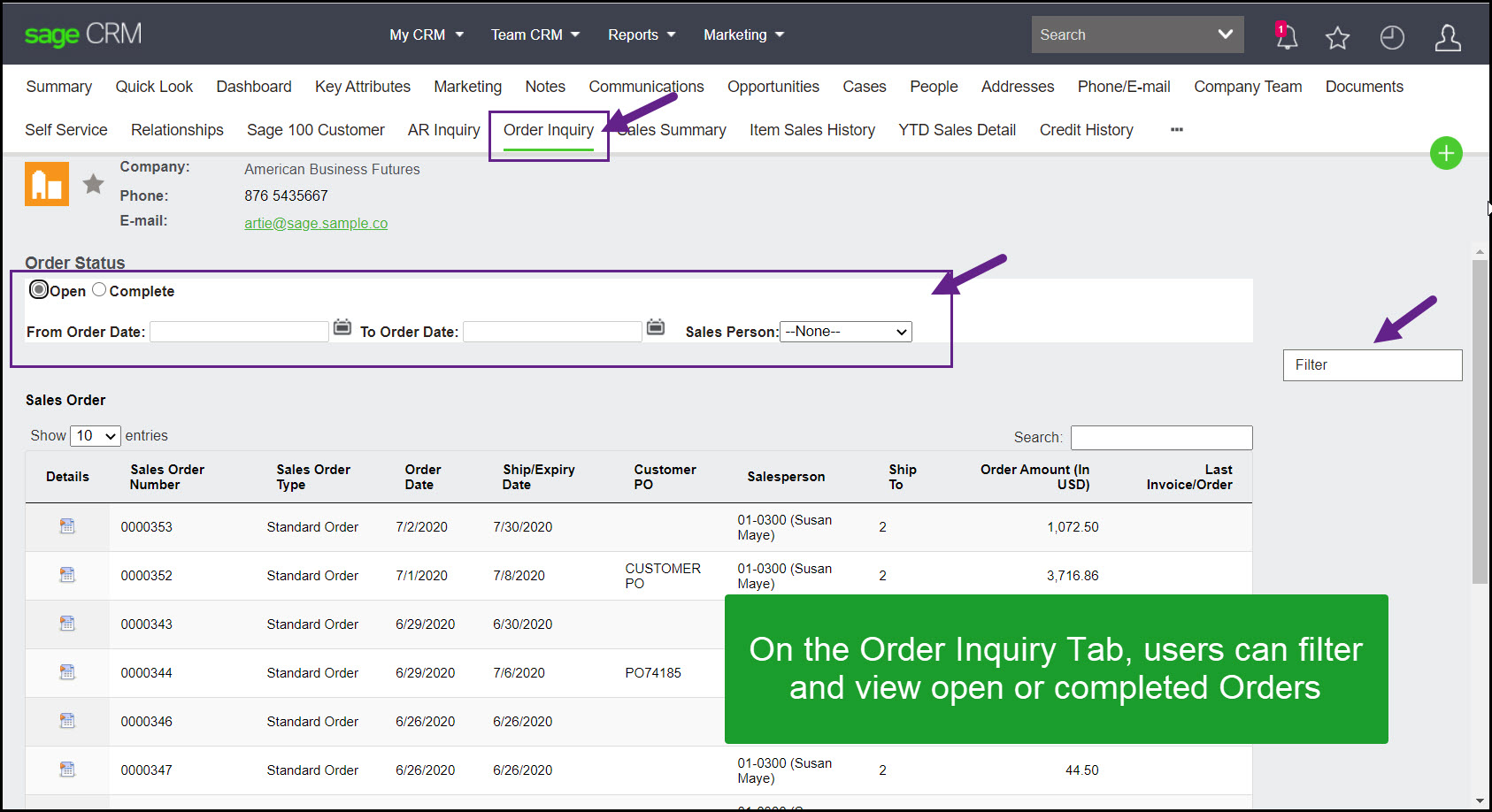
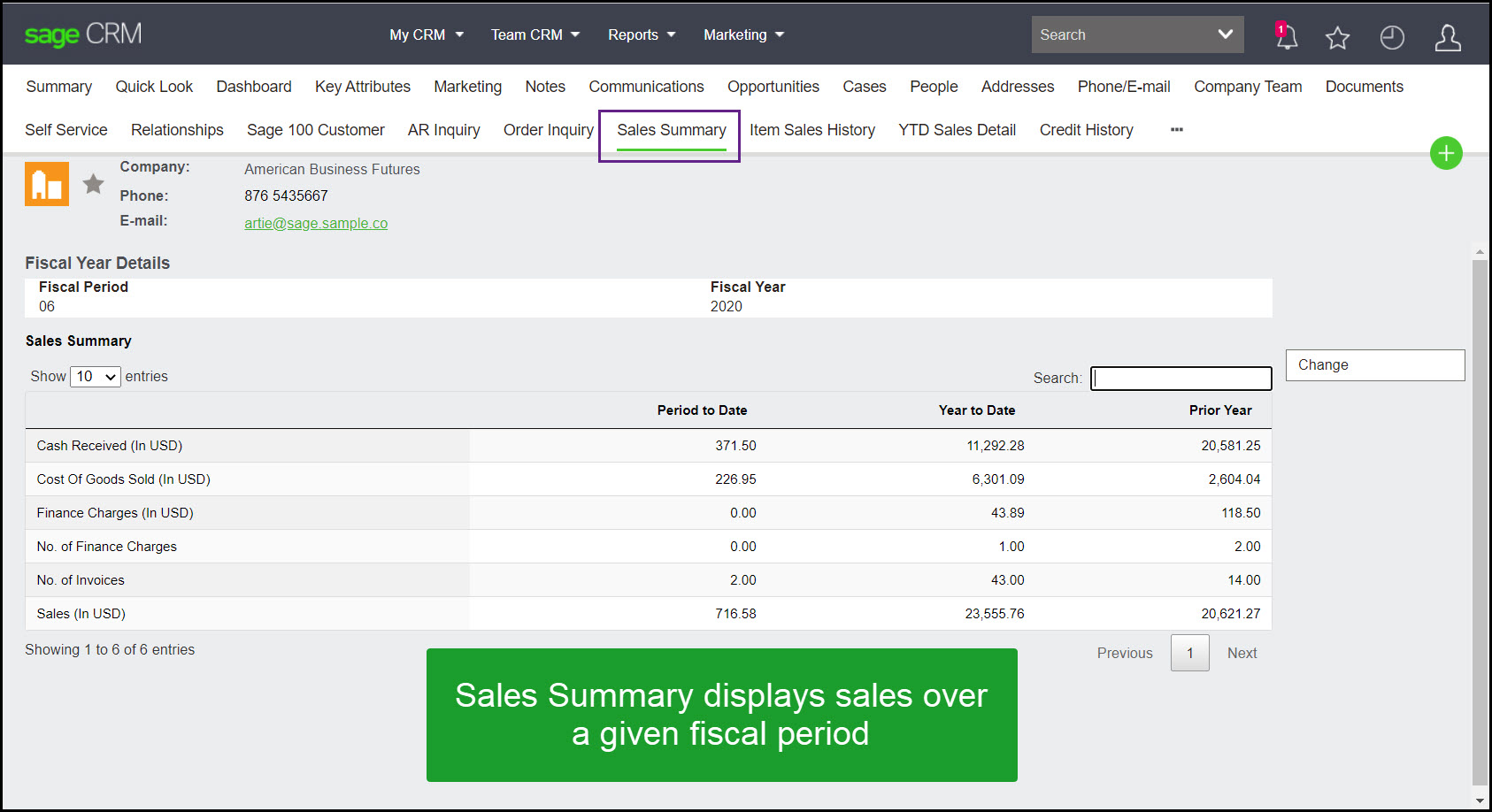
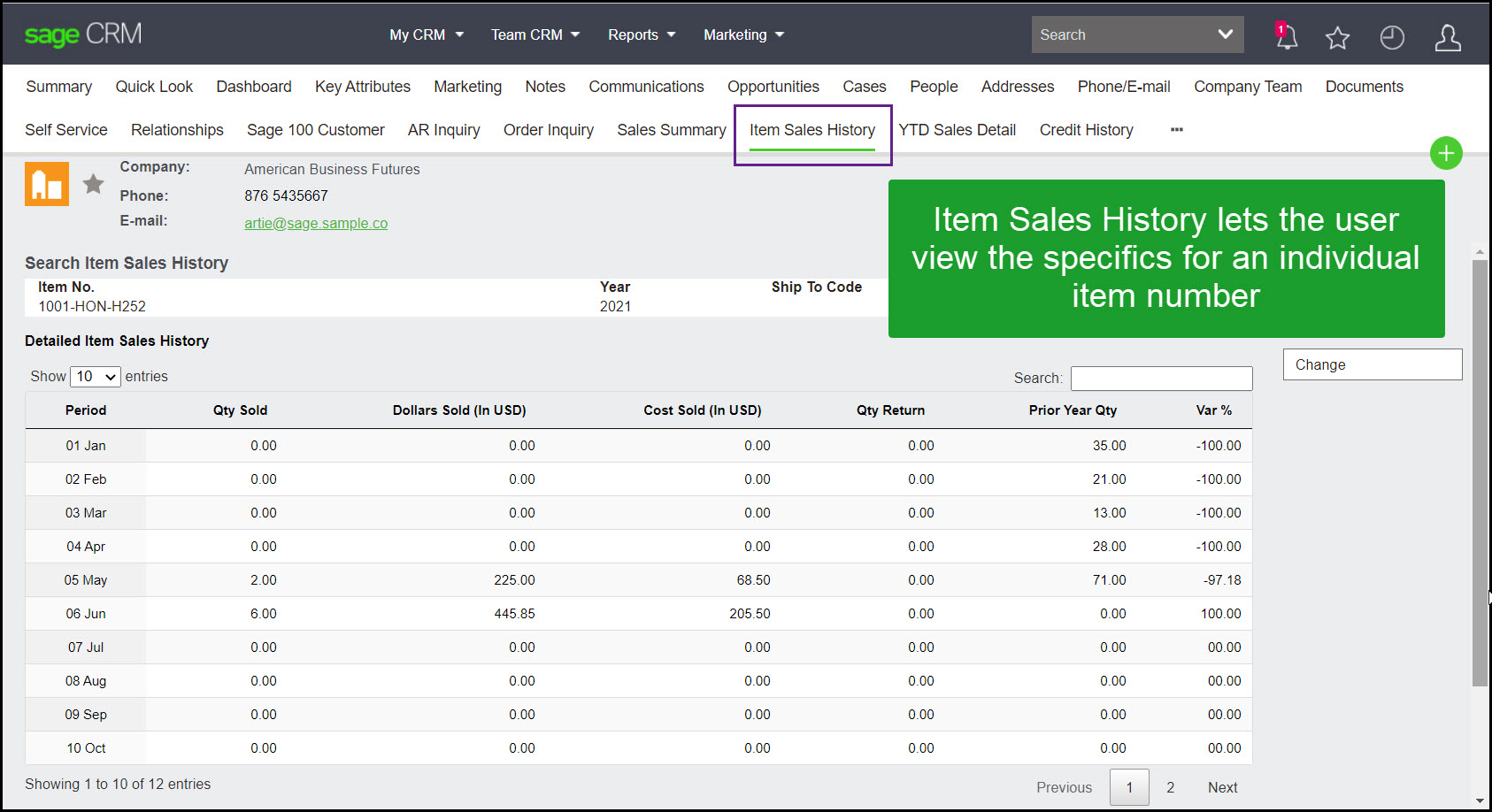
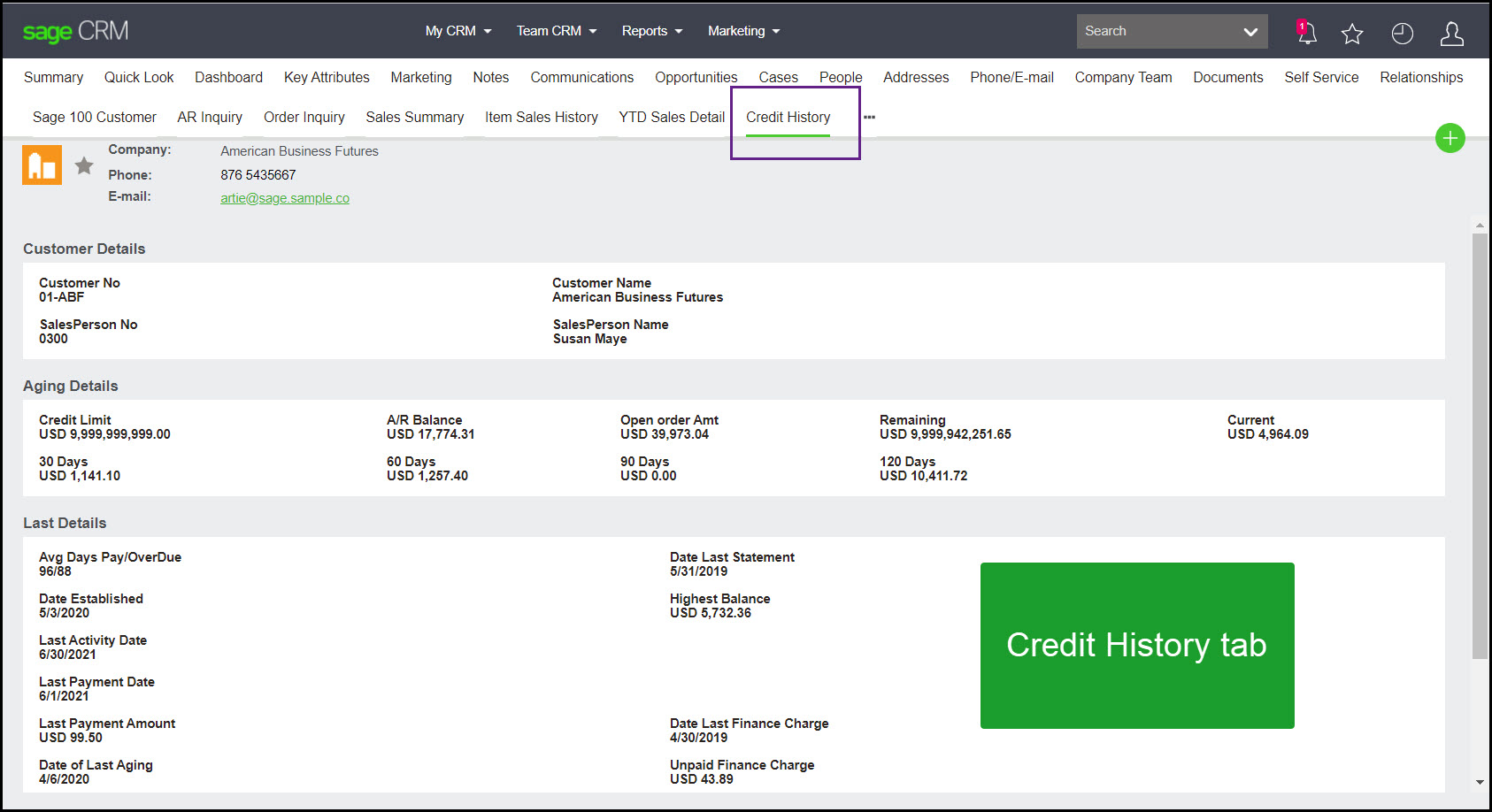
From a dedicated company tab, users can access invoice history, order history, buying patterns, credit history, and additional customer information from one centralized screen.
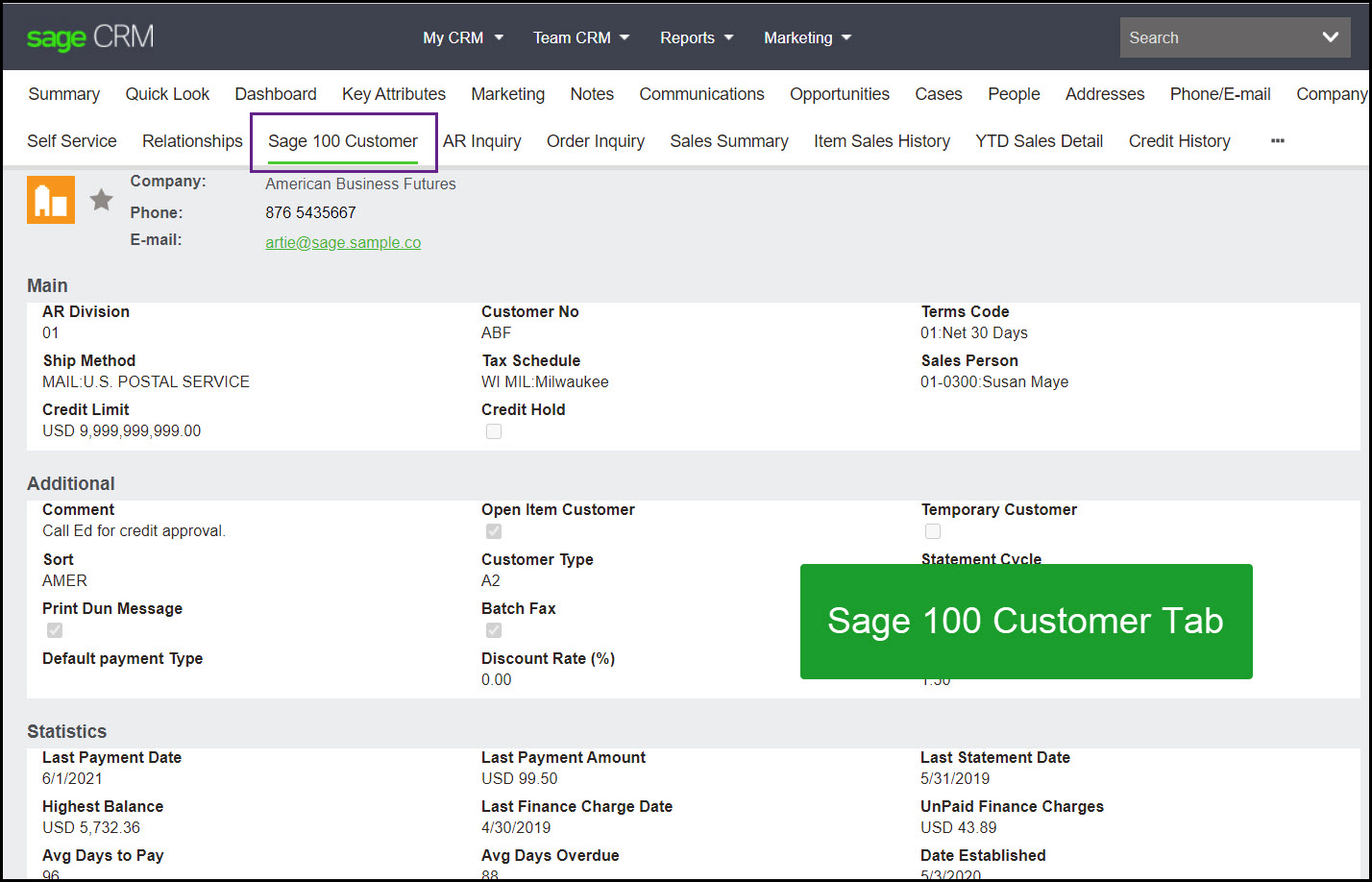
Sage 100 customer
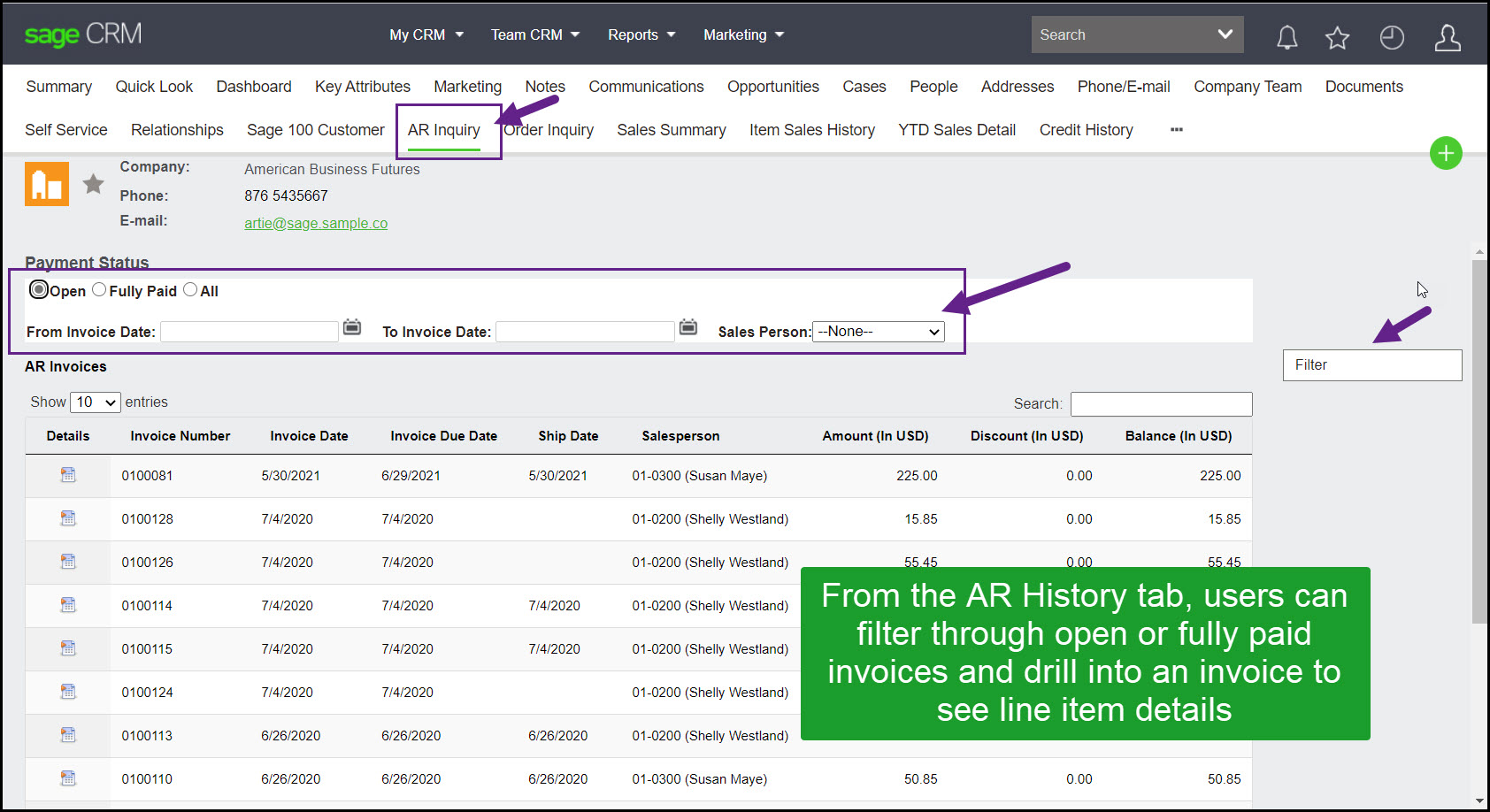
AR inquiry
Order inquiry
Sales summary
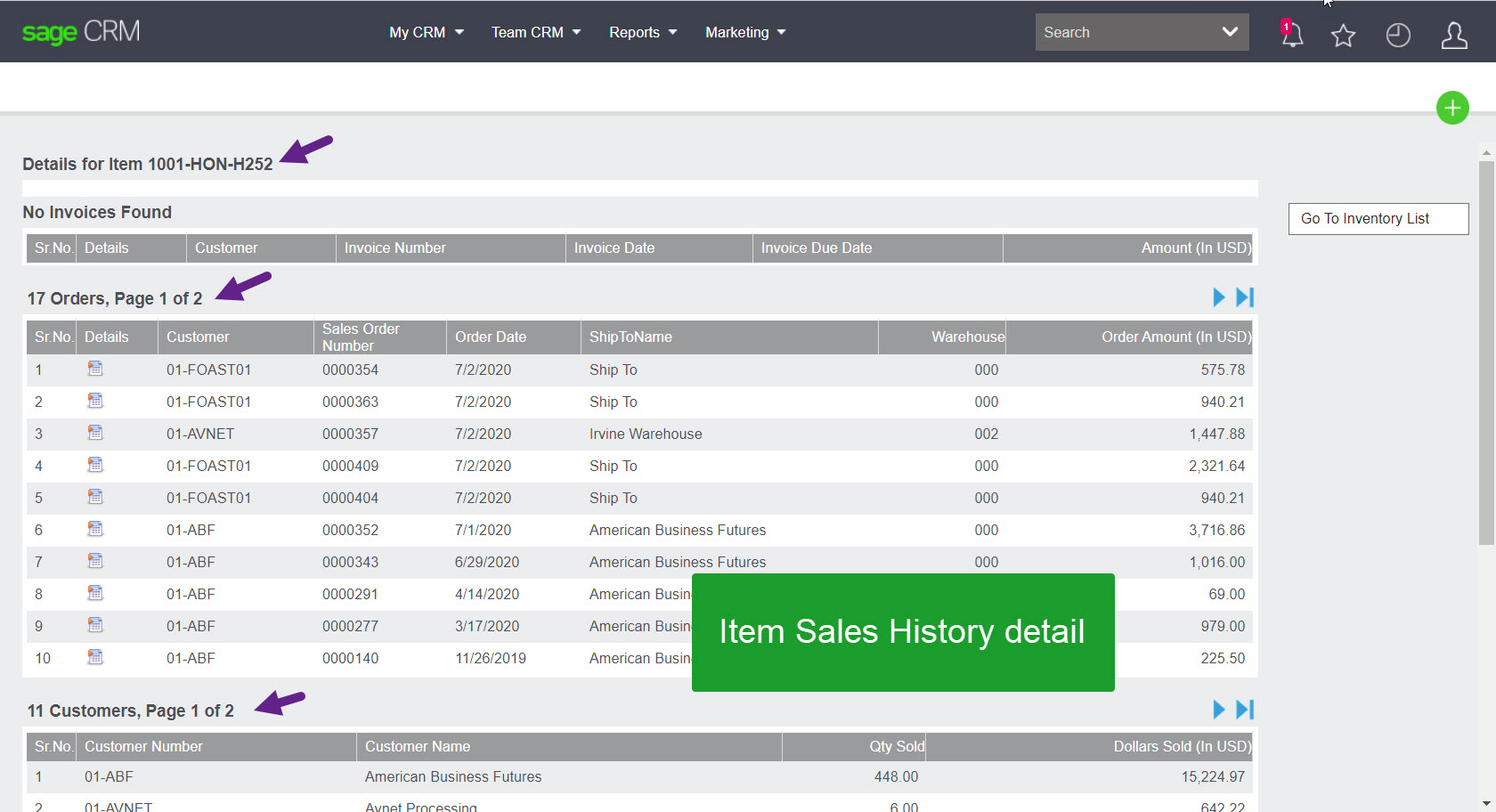
Item sales history
Credit history
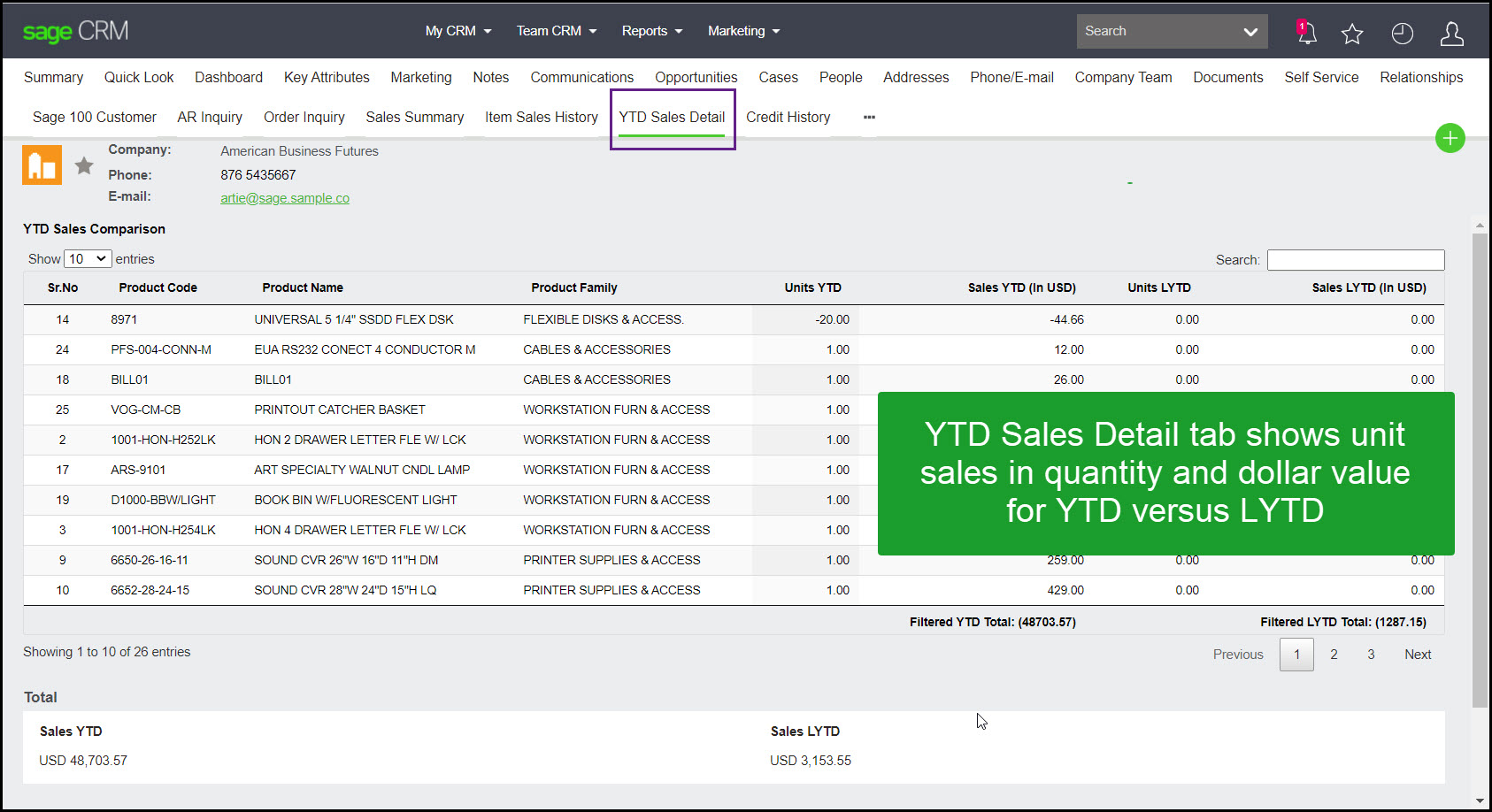
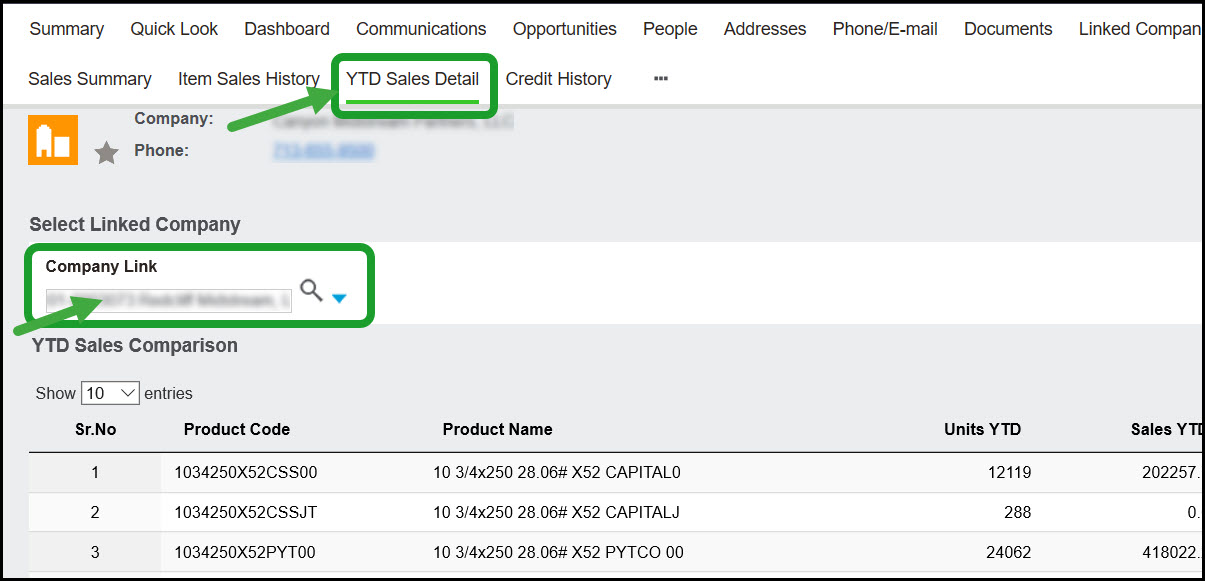
YTD / LYTD sales summary
This screen highlights year-to-date versus last-year-to-date sales performance by units and value.
Creating orders
Users can create quotes and orders from an opportunity or directly from the company summary screen. Inventory and pricing from Sage 100 synchronize into Sage CRM so CRM quoting can populate Sage 100 sales orders on approval.
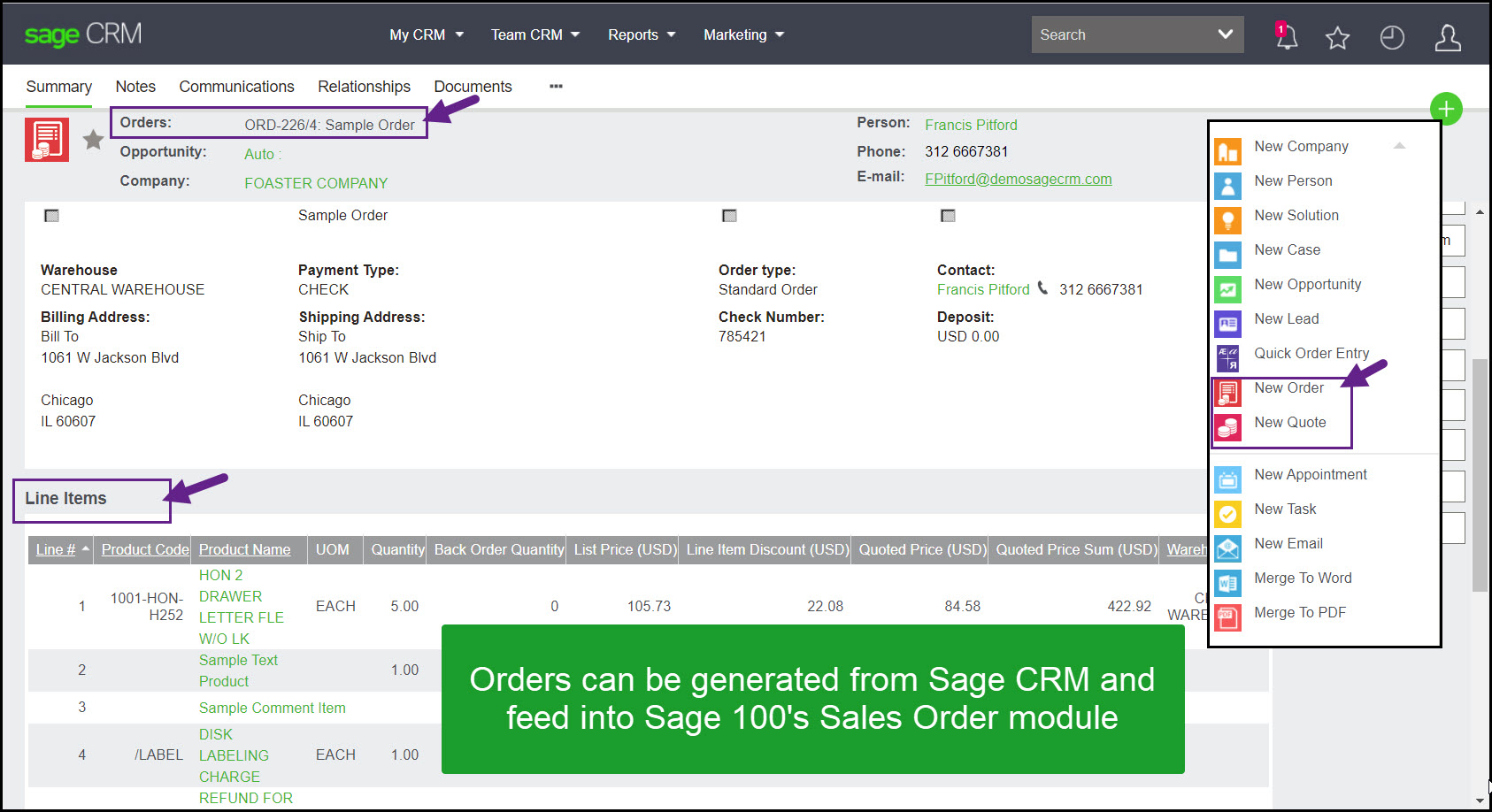
Items can be added one at a time or through Quick Line Entry.
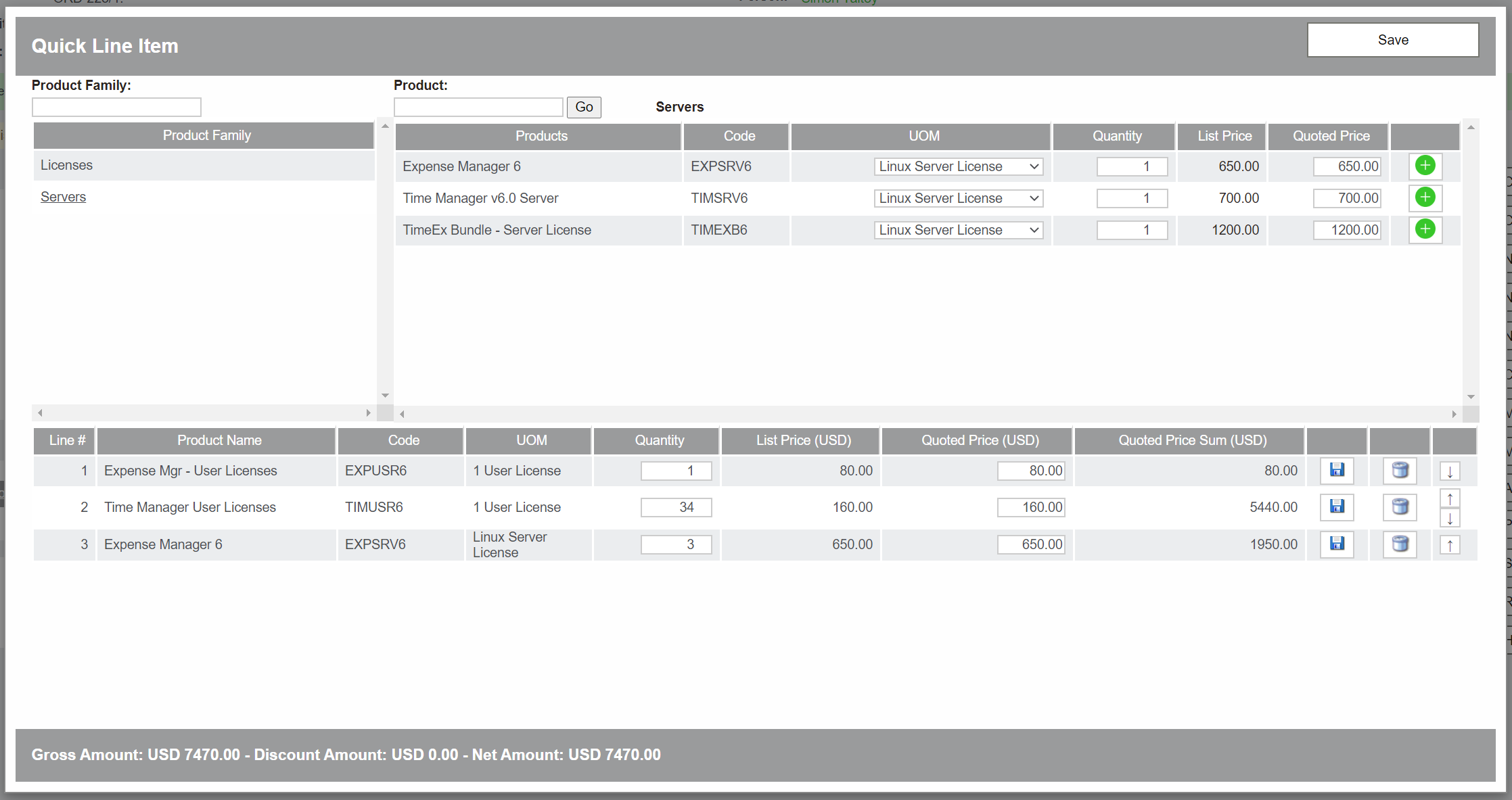
Warning: The Quick Line Entry screen does not currently support Sage 100 inventory items of type Charge, Comment, or Lot/Serial. Those items must be added through the New Line Item screen.
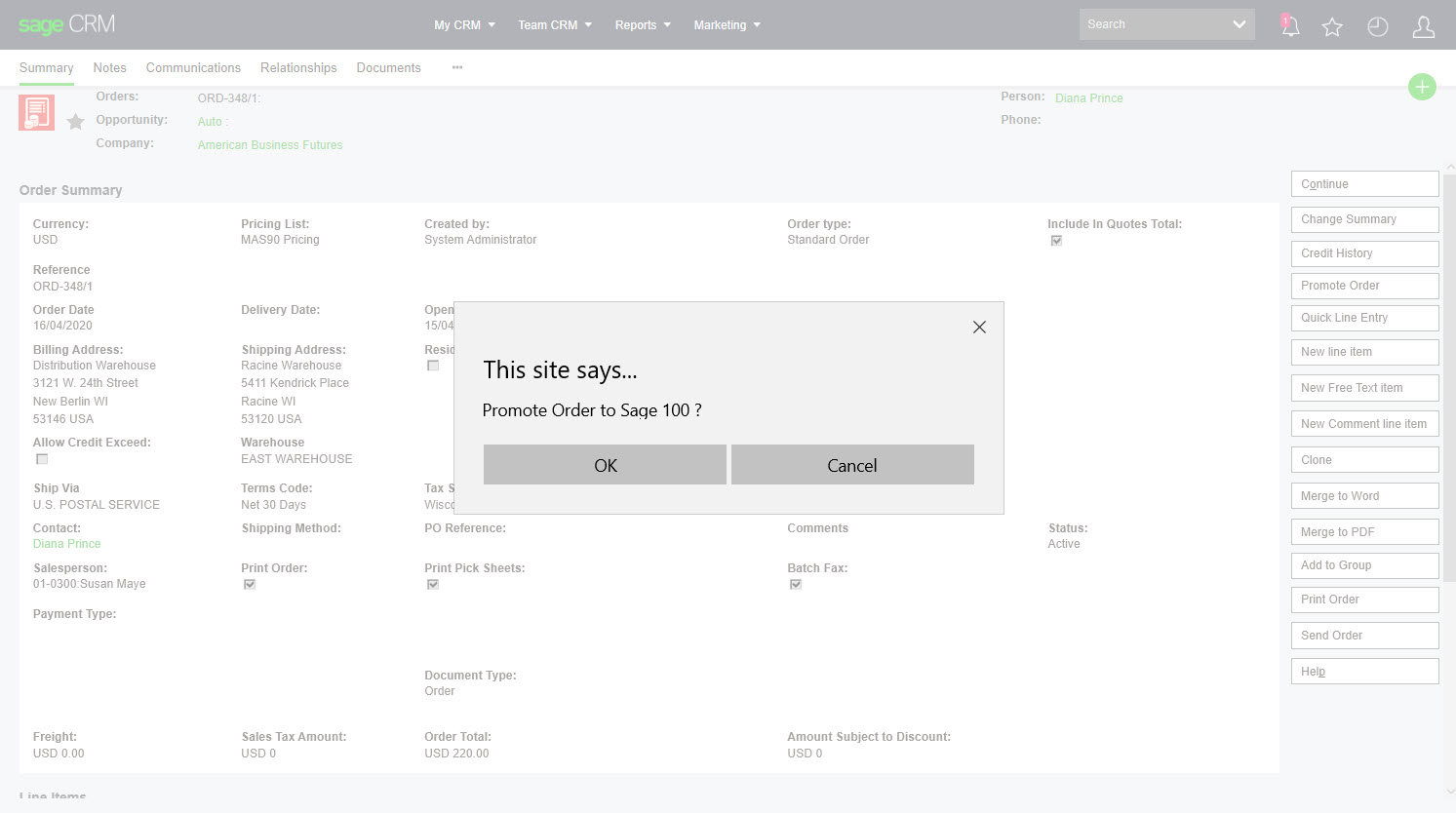
If users have the correct rights, they can promote a Sage CRM order to the Sage 100 sales order module, and the Sage 100 order reference writes back to Sage CRM. The source also notes that Sage CRM orders can be promoted directly to a Sage 100 invoice if required.
Linking a Sage 100 RMA to a Sage CRM case
Sage CRM cases can be used to manage customer service issues and related communications, and a Sage 100 RMA can be linked to a case.
Vendor integration
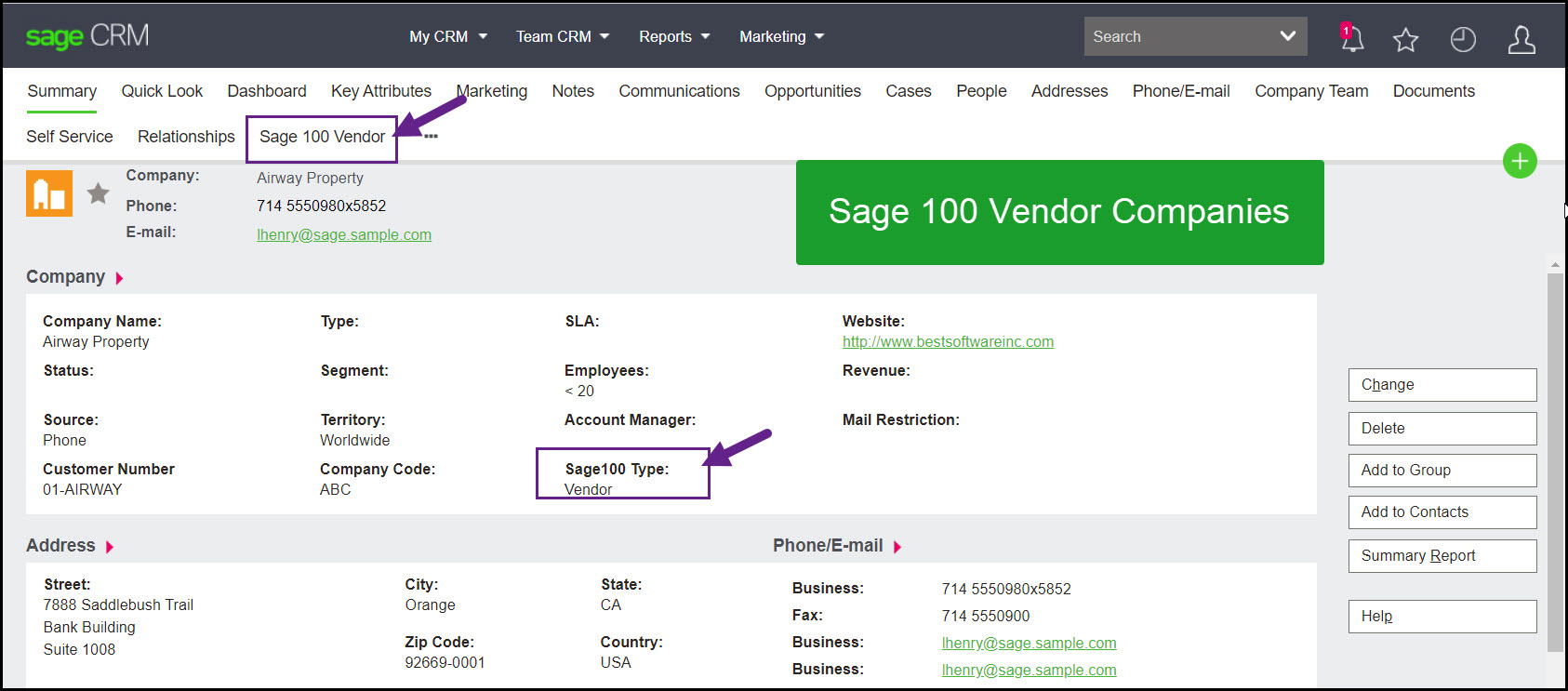
Existing vendor companies can be imported from Sage 100, and new vendor companies created in Sage CRM can be promoted into Sage 100 when users have the correct permissions.
Inventory lookup
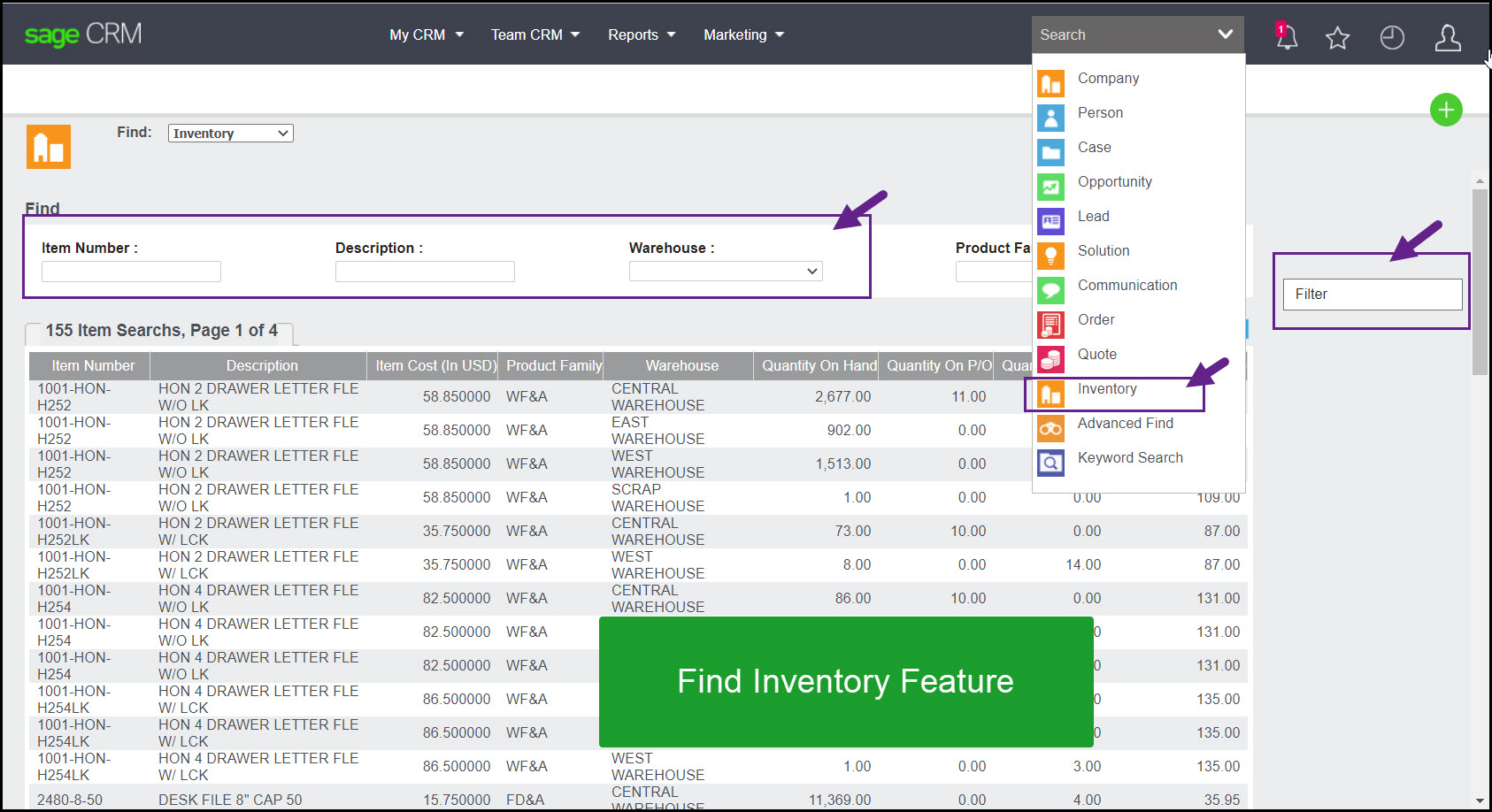
Users can search Sage 100 inventory from Sage CRM finder menus, drill into an item, and review order history and a list of customers who purchased that item.
Administration and security
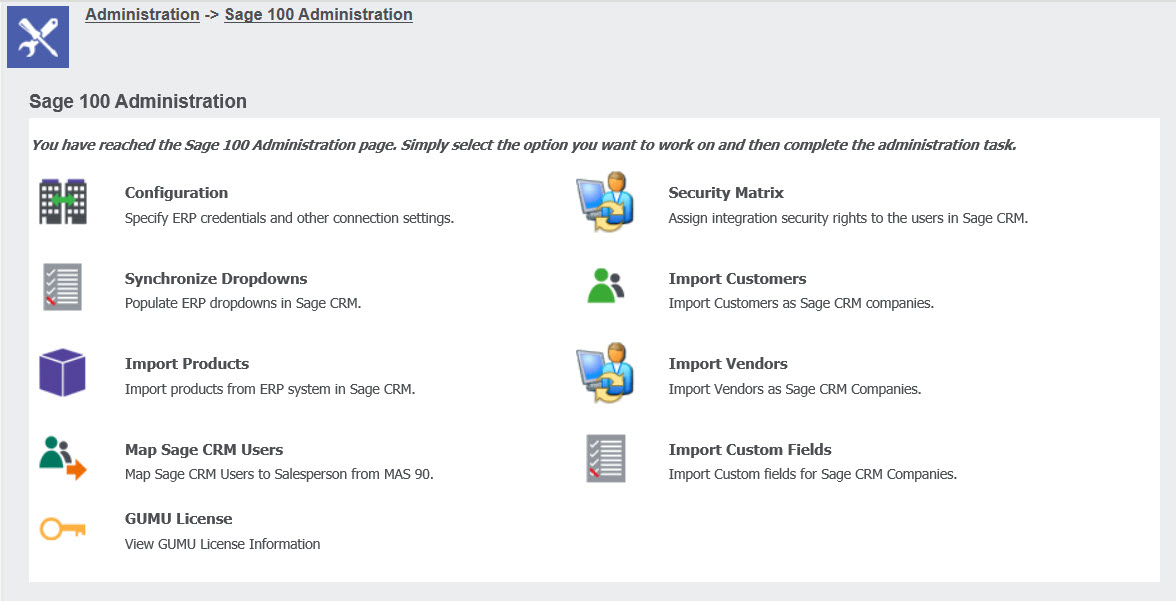
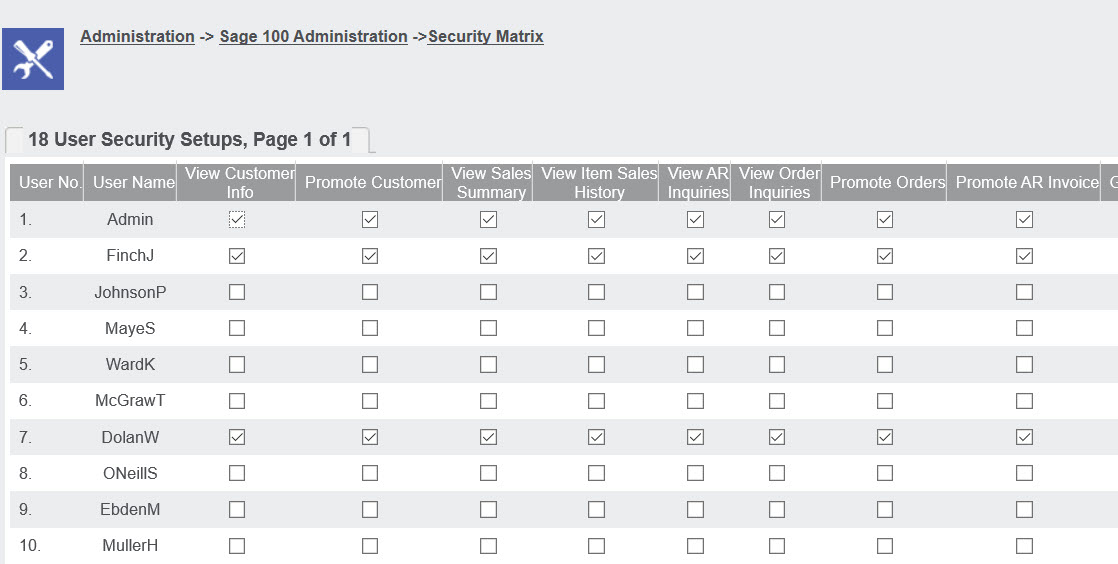
The administration section inside Sage CRM is used to configure the integration, import customers, vendors, and inventory, and map Sage CRM users to Sage 100 salesperson codes. The module also has its own security screen for defining rights per user.
Common modifications
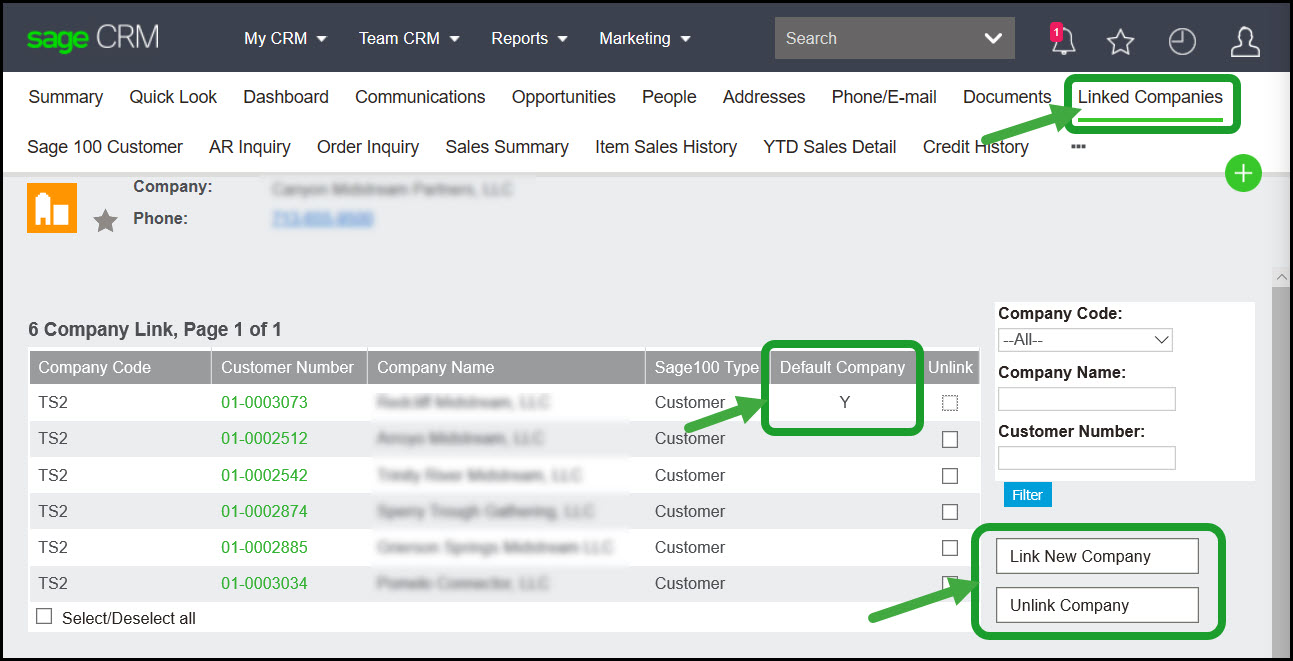
The source highlights several common customizations, including exposing Sage 100 statistics in Outlook, bringing over user-defined fields, supporting one-to-many company mapping across multiple databases, and supporting serialized inventory at the quote level.
Comparing the two versions of the integration
The source explicitly notes that there are two different integration options: one published by Sage and the second, GUMU™, published by Greytrix. The page strongly endorses the Greytrix version as more robust, faster, more flexible, and easier to support.
A comparison video is also provided that begins with the Sage version and then covers the Greytrix version at a high level.
About the publisher
The Sage 100 to Sage CRM integration is published by Greytrix. Greytrix has been a Sage CRM development partner for over 20 years and is well known within the global Sage community.
Beyond Sage 100, Greytrix also publishes integrations between Sage CRM and Sage 500, Sage X3, and Sage Intacct, along with the leading integration between Sage 100 and Salesforce.
