GUMU™ Sage 500 CRM
Connecting Sage 500 with Sage CRM gives customer-facing staff access to accounting data and order processes through the Sage CRM interface. The source describes this as a fully bi-directional solution that makes Sage 500 data available wherever users log into Sage CRM.
The information on this page refers to the GUMU™ Sage 500 CRM integration.
- Sage CRM users do not require a Sage 500 license for normal use.
- Sage 500 does not need to be the latest version.
Table of Contents
Features, benefits, and user experience
Features
- Customer integration.
- User-specific access rights for Sage 500 data.
- Company promotion from Sage CRM to Sage 500 customers.
- Order and invoice history visibility in CRM.
- Quote and order creation through Sage CRM quoting features.
- Order promotion from Sage CRM into Sage 500.
Benefits
- CRM users are better informed about their accounts.
- Users can look up information without depending on accounting staff.
- The need for Sage 500 licensing is reduced.
- Duplicate entry is minimized.
- Remote order entry is supported.
Customer integration
The source highlights the major points of integration visible from a customer record in Sage CRM and then walks through the key customer-facing screens available to users with the appropriate rights.
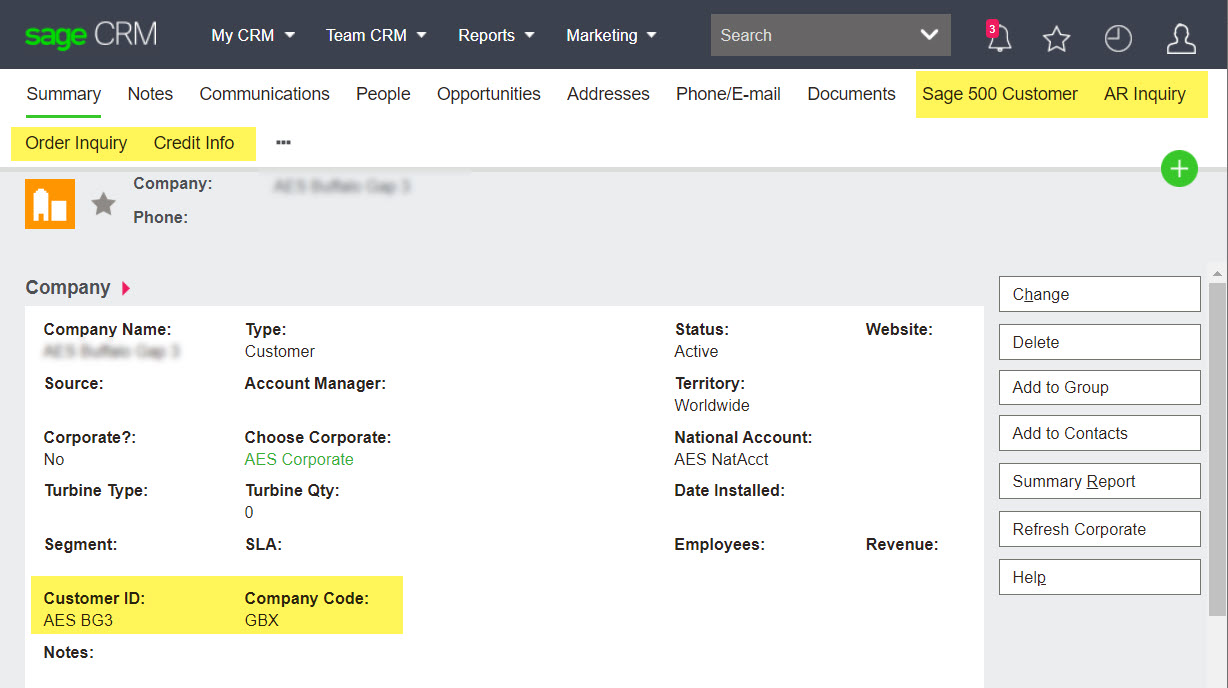
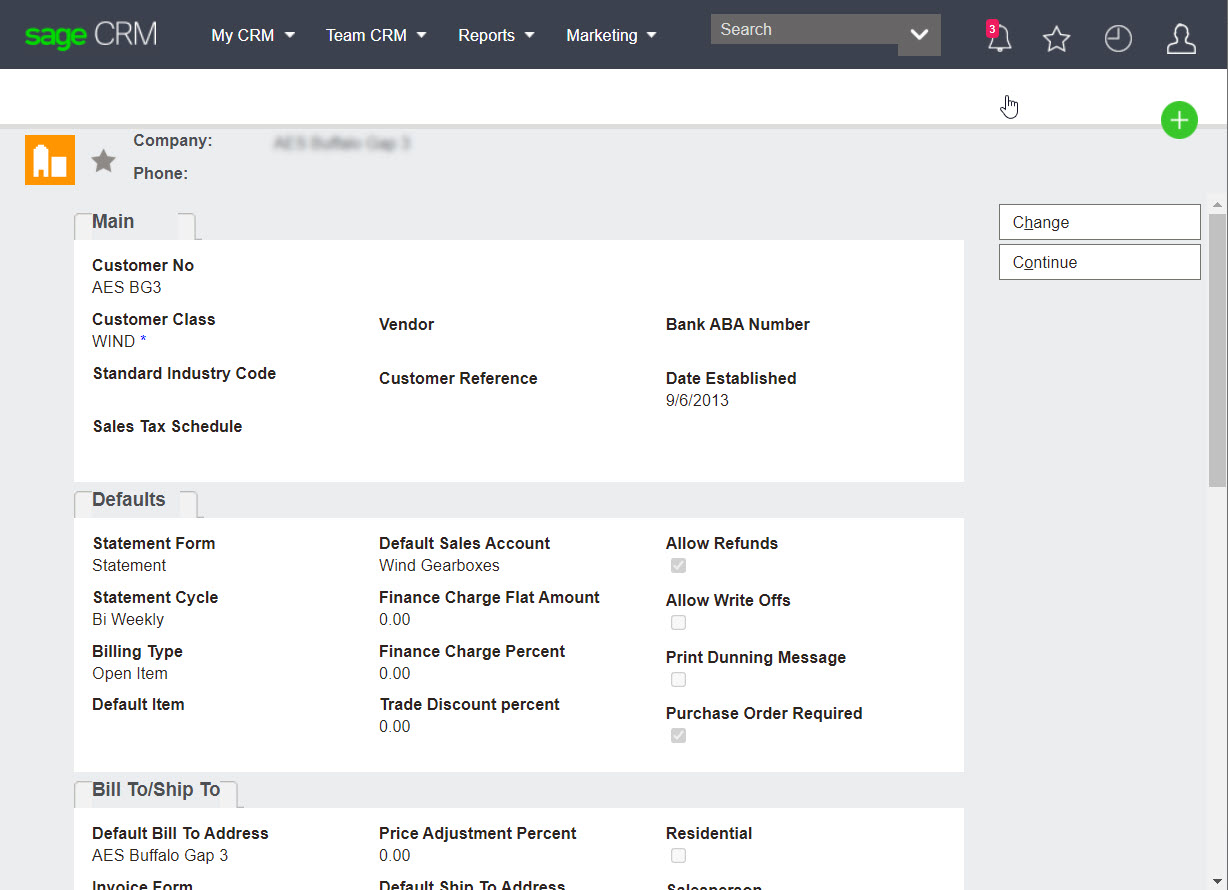
Sage 500 customer
From the Sage 500 customer tab on a company, users can review summary information such as division, salesperson, and last payment date.
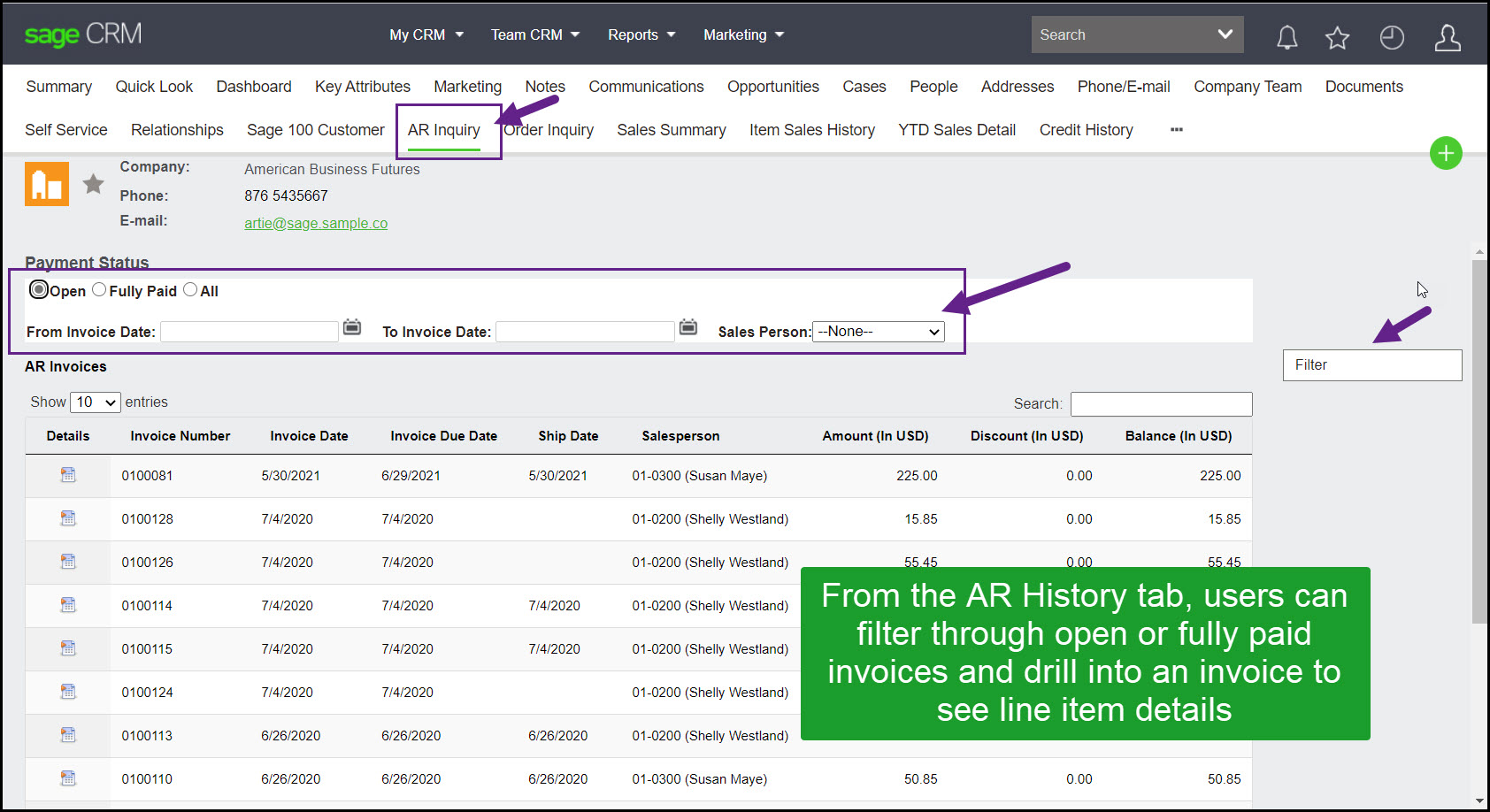
AR inquiry
Users can filter open and paid invoices and drill into line-item detail from the AR history tab.
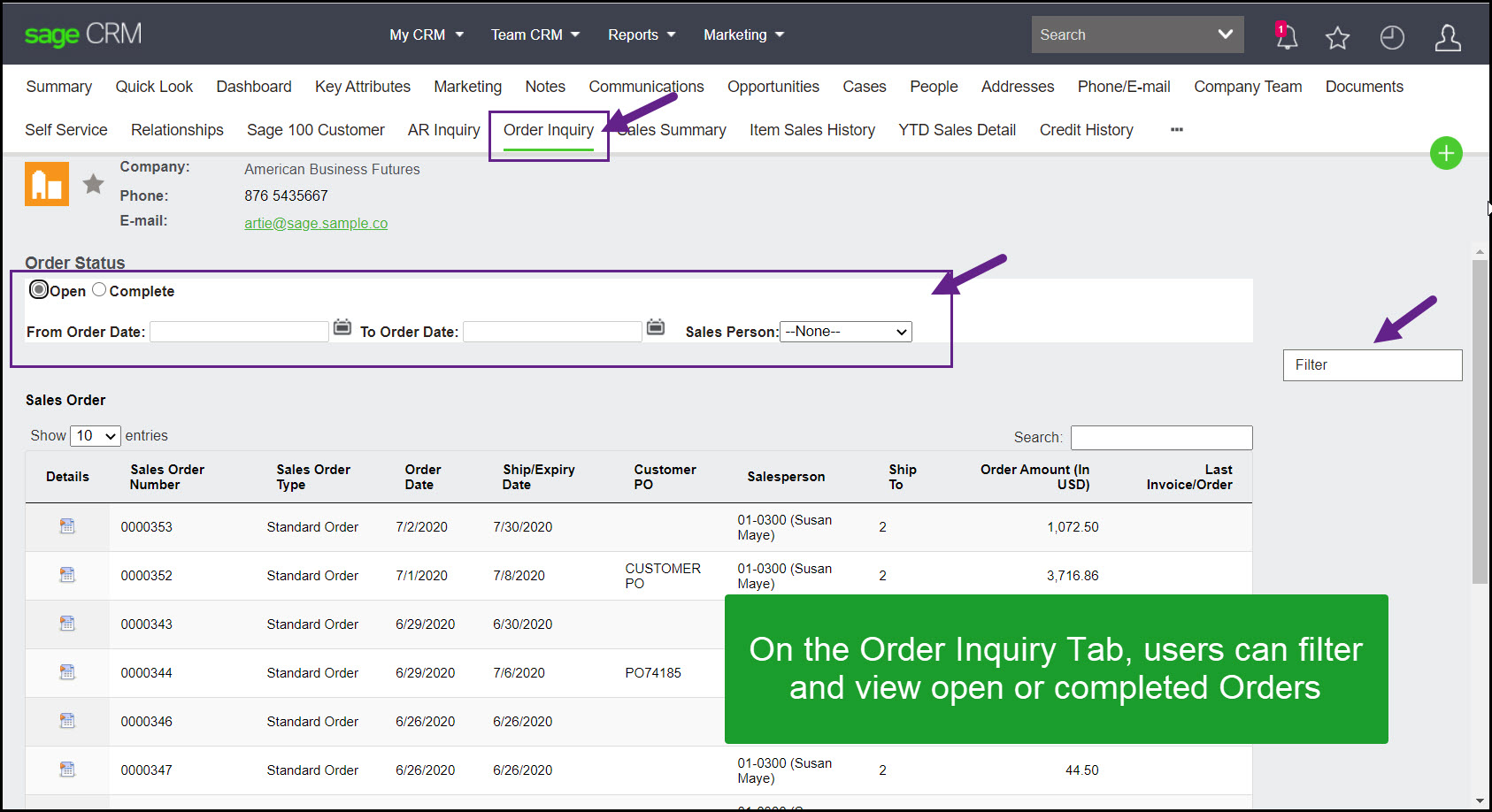
Order inquiry
Users can filter and review open or completed orders directly from CRM.
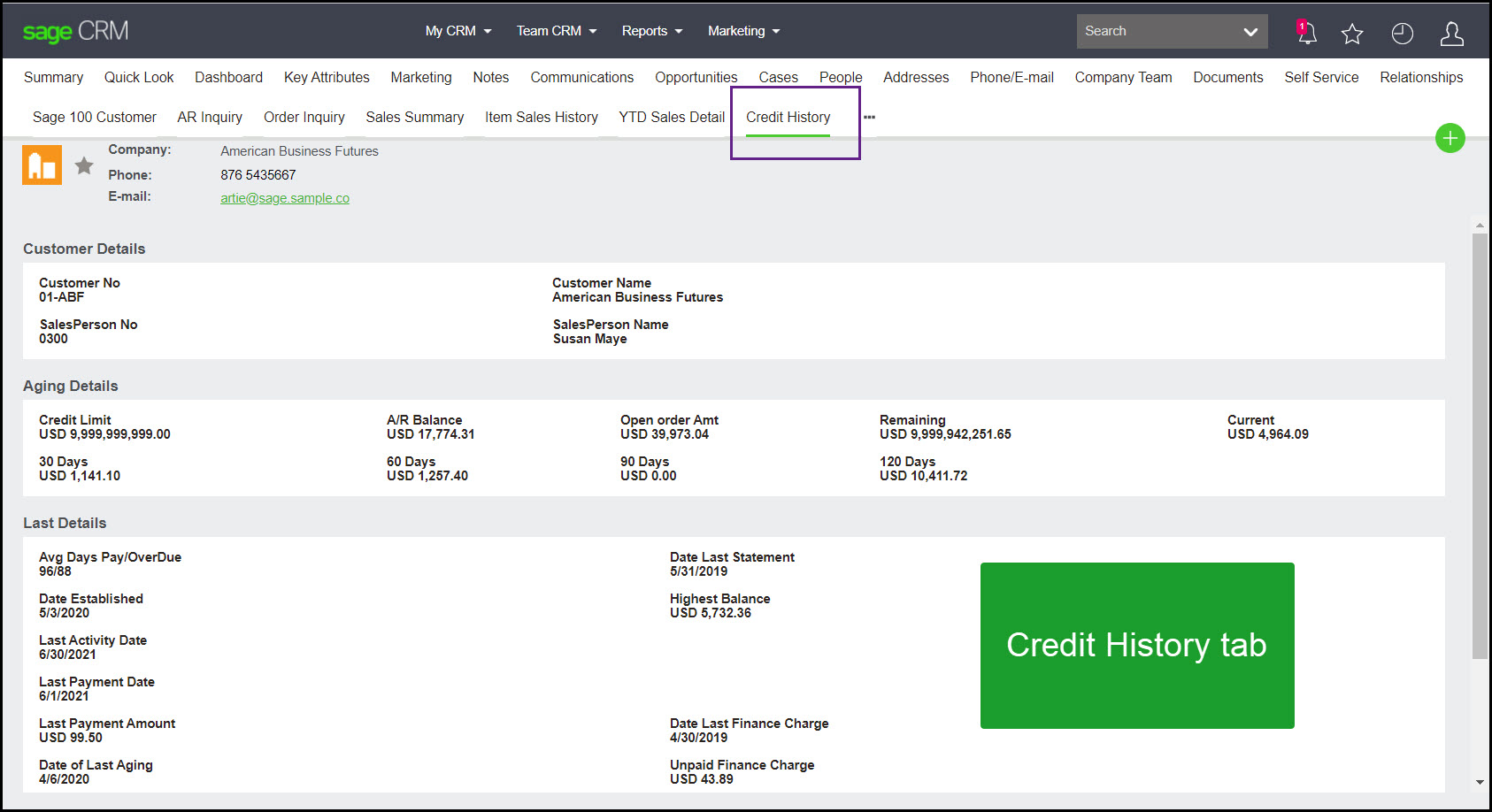
Credit history
Users can review credit status in CRM instead of relying on accounting for status checks. The source notes that credit-hold messaging can also appear on the company summary screen.
Creating orders
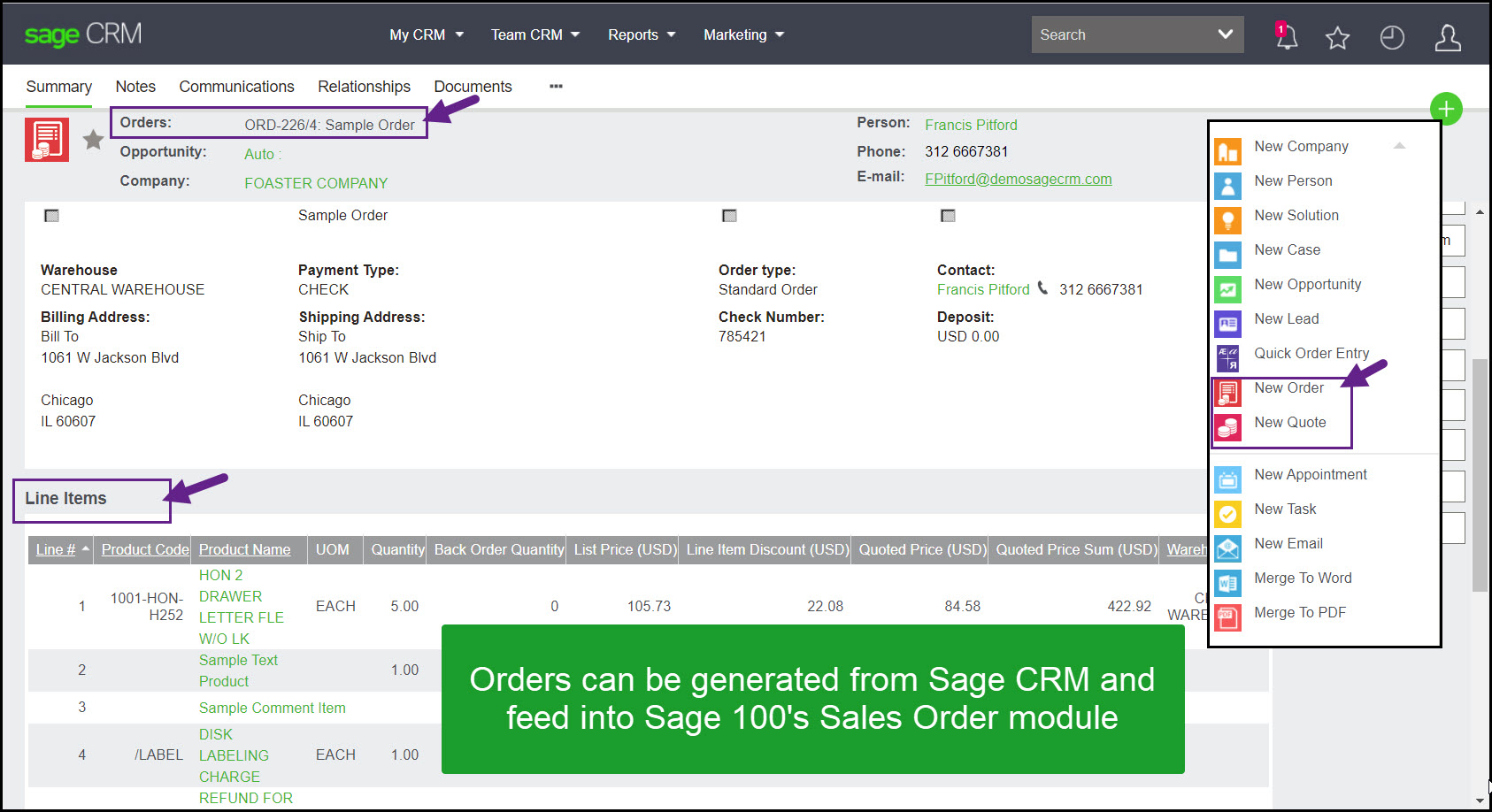
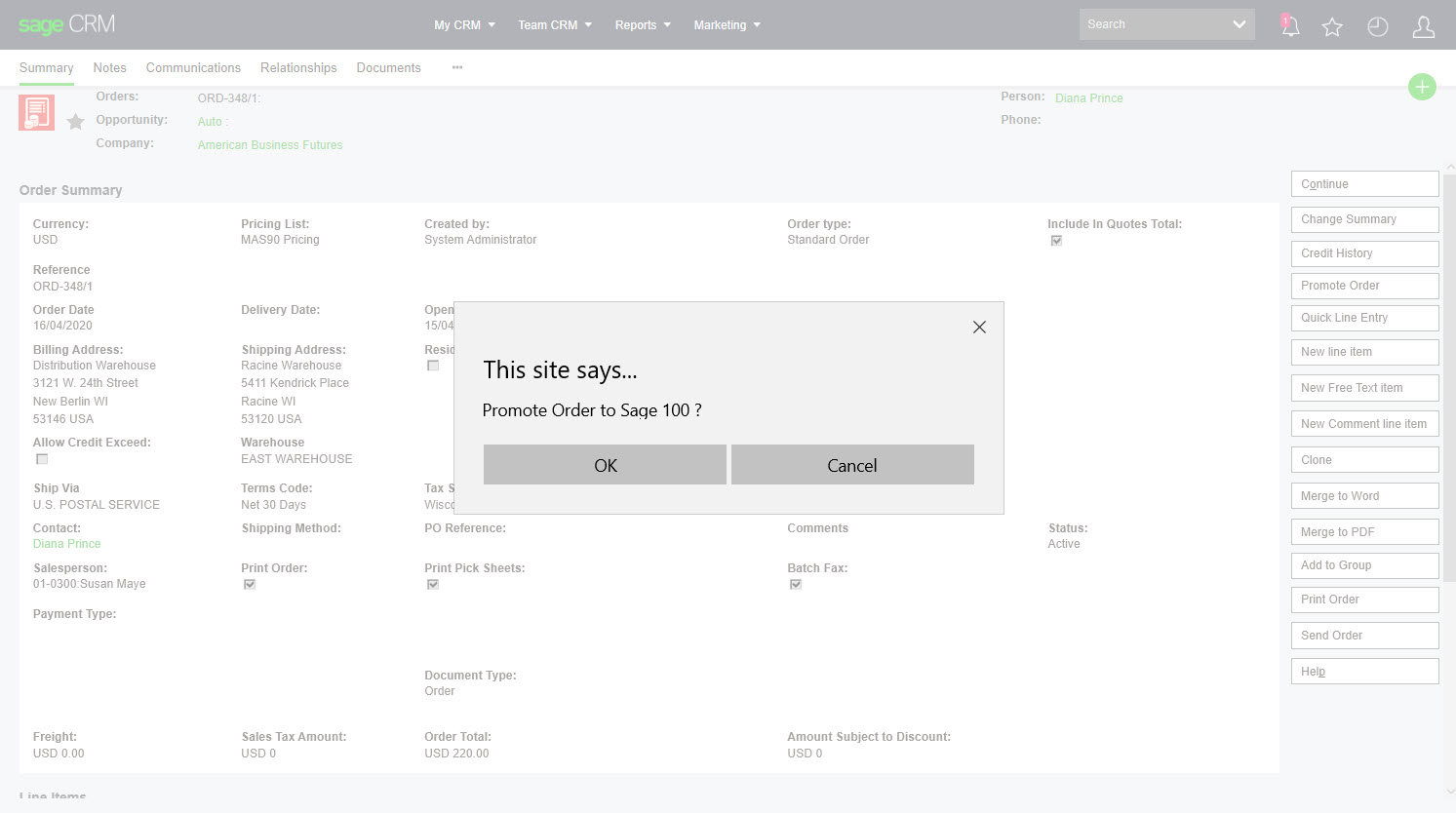
Users can create a quote or order from an opportunity or from the company summary screen. With the right permissions, a Sage CRM order can be promoted into the Sage 500 sales order module, and the Sage 500 order reference writes back into CRM.
Administration and security
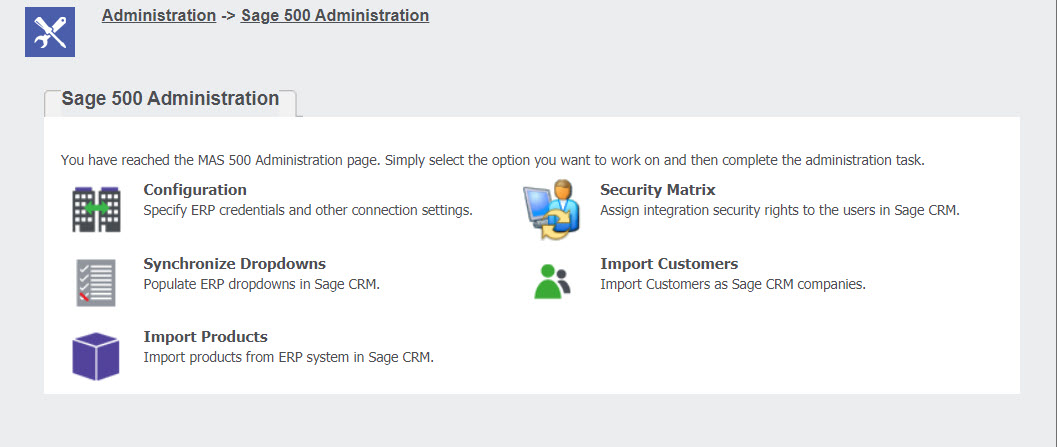
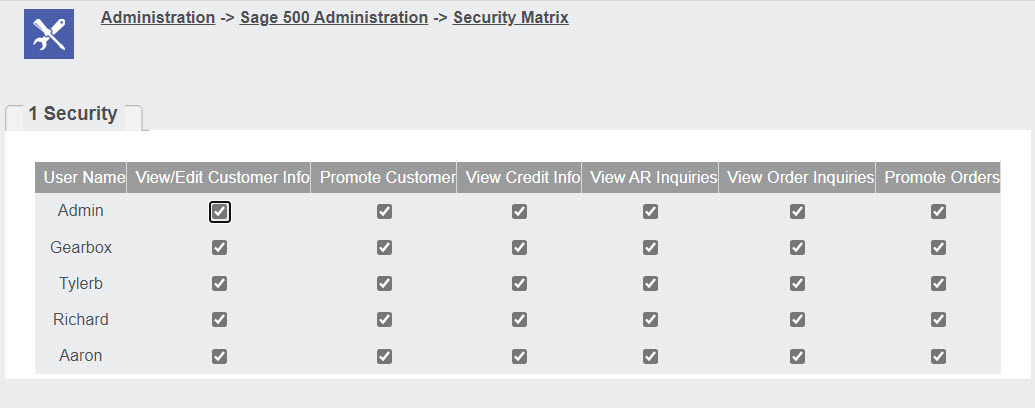
The administration section inside Sage CRM is used to configure the integration, import data, and map Sage CRM users to Sage 500 sales representative codes. The Sage 500 module also includes its own security screen for defining individual user rights.
About the publisher
The Sage 500 to Sage CRM integration is published by Greytrix. Greytrix has been a Sage CRM development partner for over 20 years and has an excellent reputation within the global Sage community.
In addition to Sage 500, Greytrix also publishes integrations for Sage CRM with Sage 100, Sage X3, and Sage Intacct.
